A TXT record holds text. DNS itself does not care what it says, so over the years TXT became the place for anything a service wants to attach to your domain. Mostly that means email authentication and proof of ownership.
TXT records explained

Dennis Postma7 May 2026
Reading time4 minutes
DNS basics
TXT records hold free text, and in practice SPF, DKIM, DMARC and domain verification. What goes where, the length limit and the one-SPF-record rule.
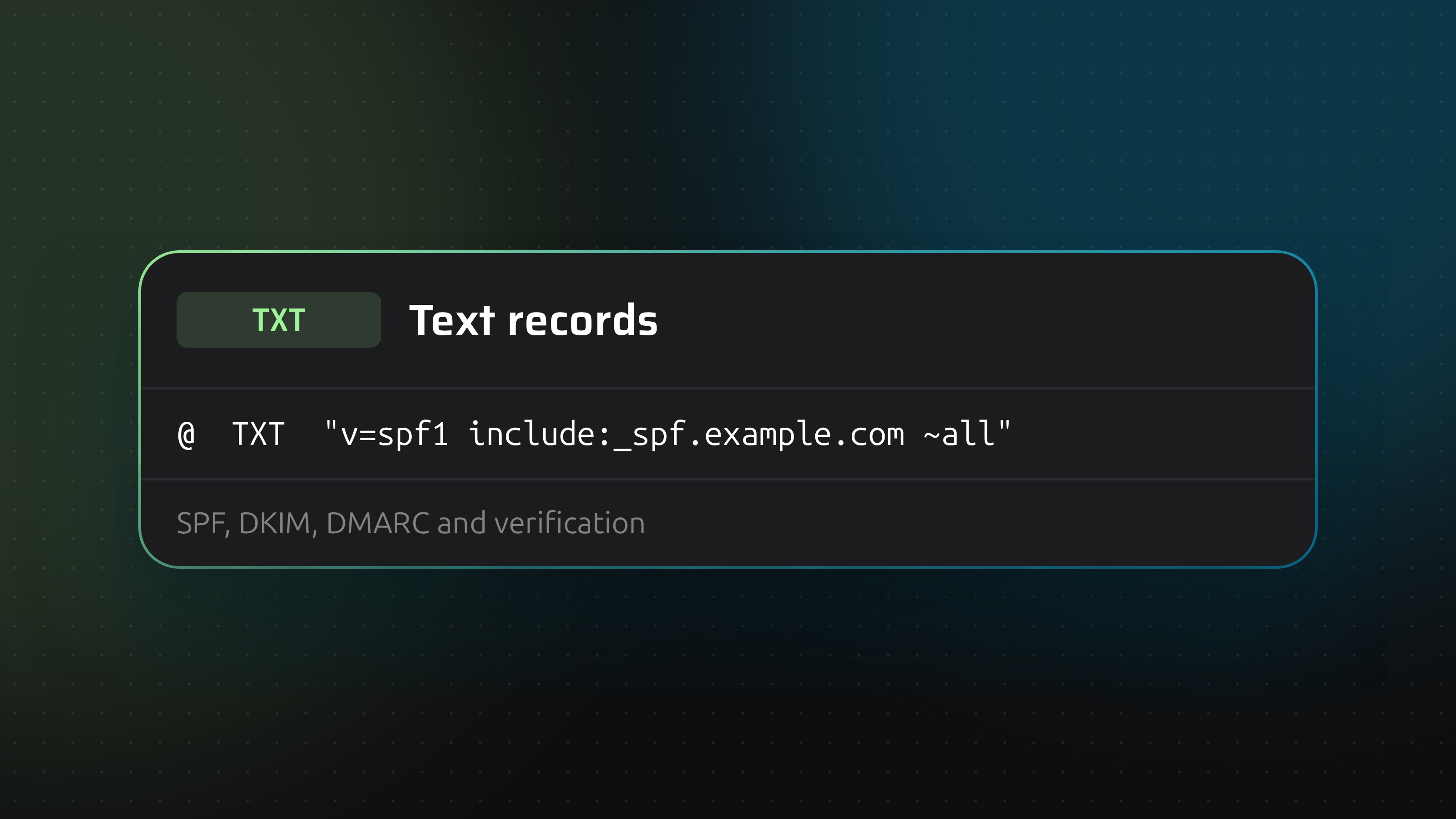
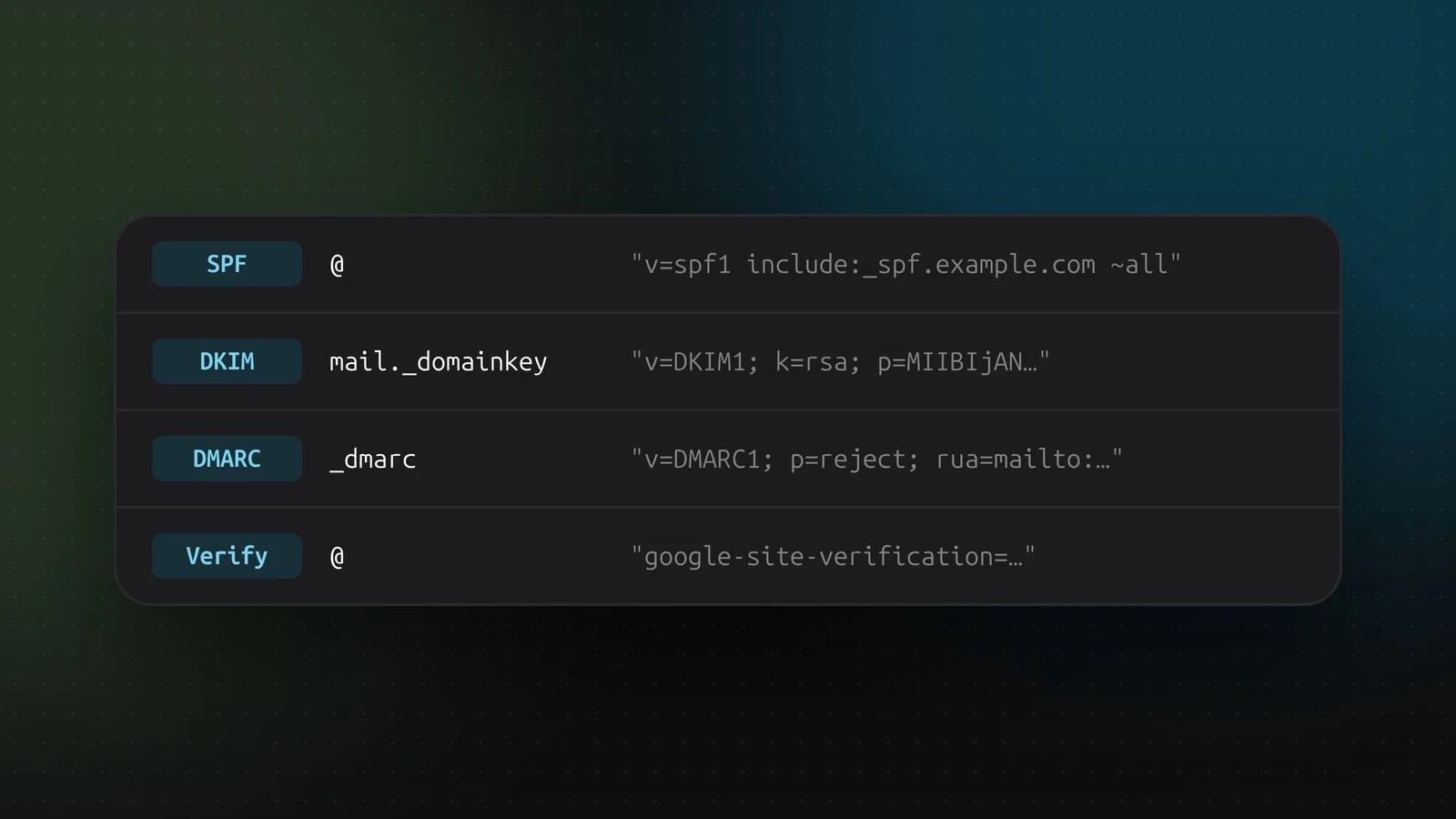
SPF sits on the root of the domain and lists the servers allowed to send mail for it: v=spf1 include:_spf.example.com ~all. A domain may have exactly one SPF record. Two records make both invalid, so merge them into a single line.
DKIM publishes the public key that receivers use to check your mail signatures. It lives at selector._domainkey, where the selector comes from your mail provider.
DMARC sits at _dmarc and tells receivers what to do with mail that fails SPF and DKIM: v=DMARC1; p=reject; rua=mailto:.... Start with p=none to collect reports, move to quarantine, then reject once the reports are clean.
Verification tokens prove you own the domain to Google, Microsoft, and certificate authorities. They stay in place after verification, and some services recheck them.
Quotes and length
A single string in a TXT record is limited to 255 characters. Longer values, like a 2048-bit DKIM key, are split into several quoted strings in one record. Resolvers glue them back together. Most providers split for you when you paste the long value. If one does not, split it by hand: "first 255 characters" "the rest".
Several TXT records on one name
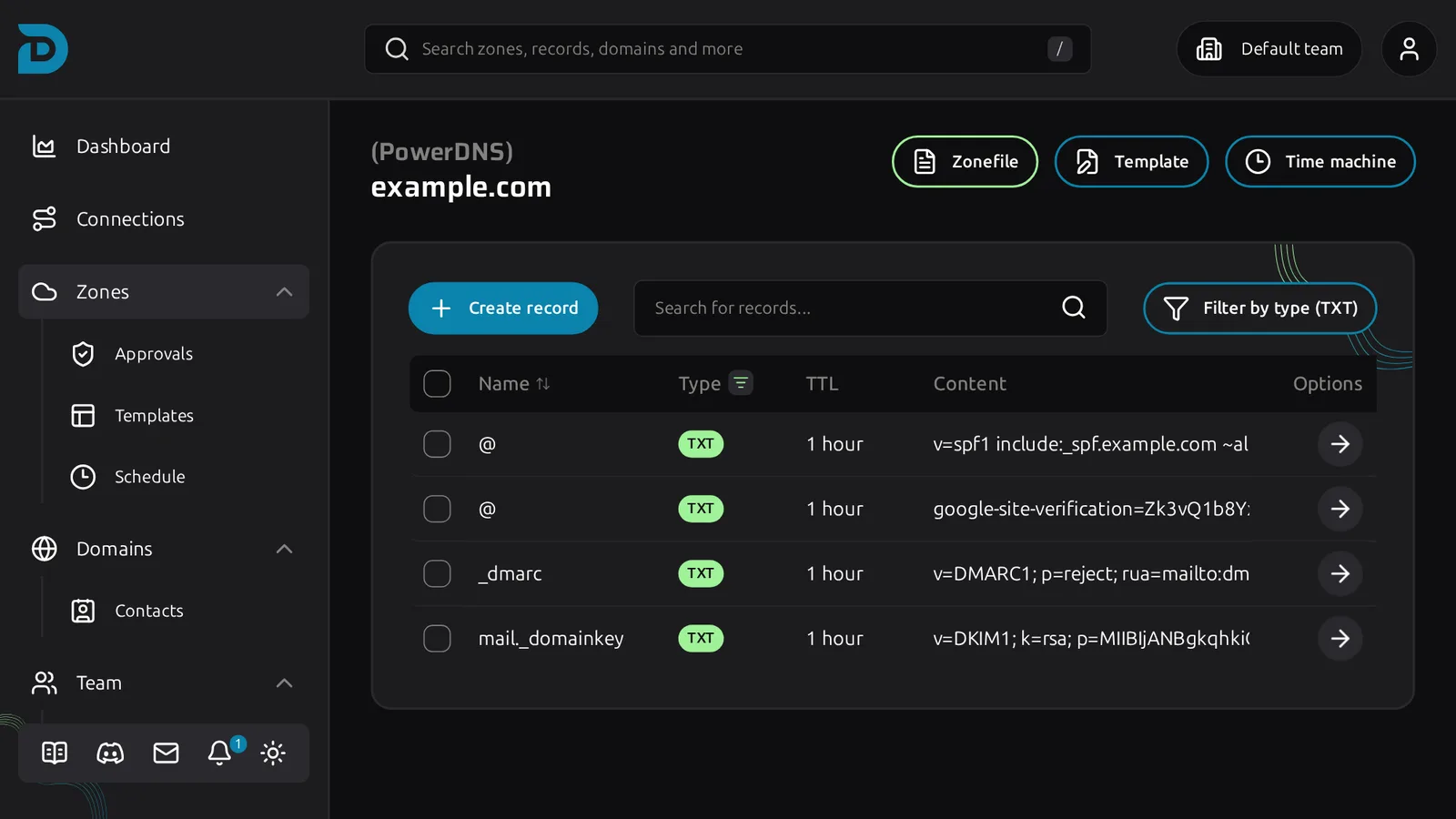
Allowed, and normal. The root of a domain often holds an SPF record and a few verification tokens at once. Just not two SPF records.
Adding one in DNSense
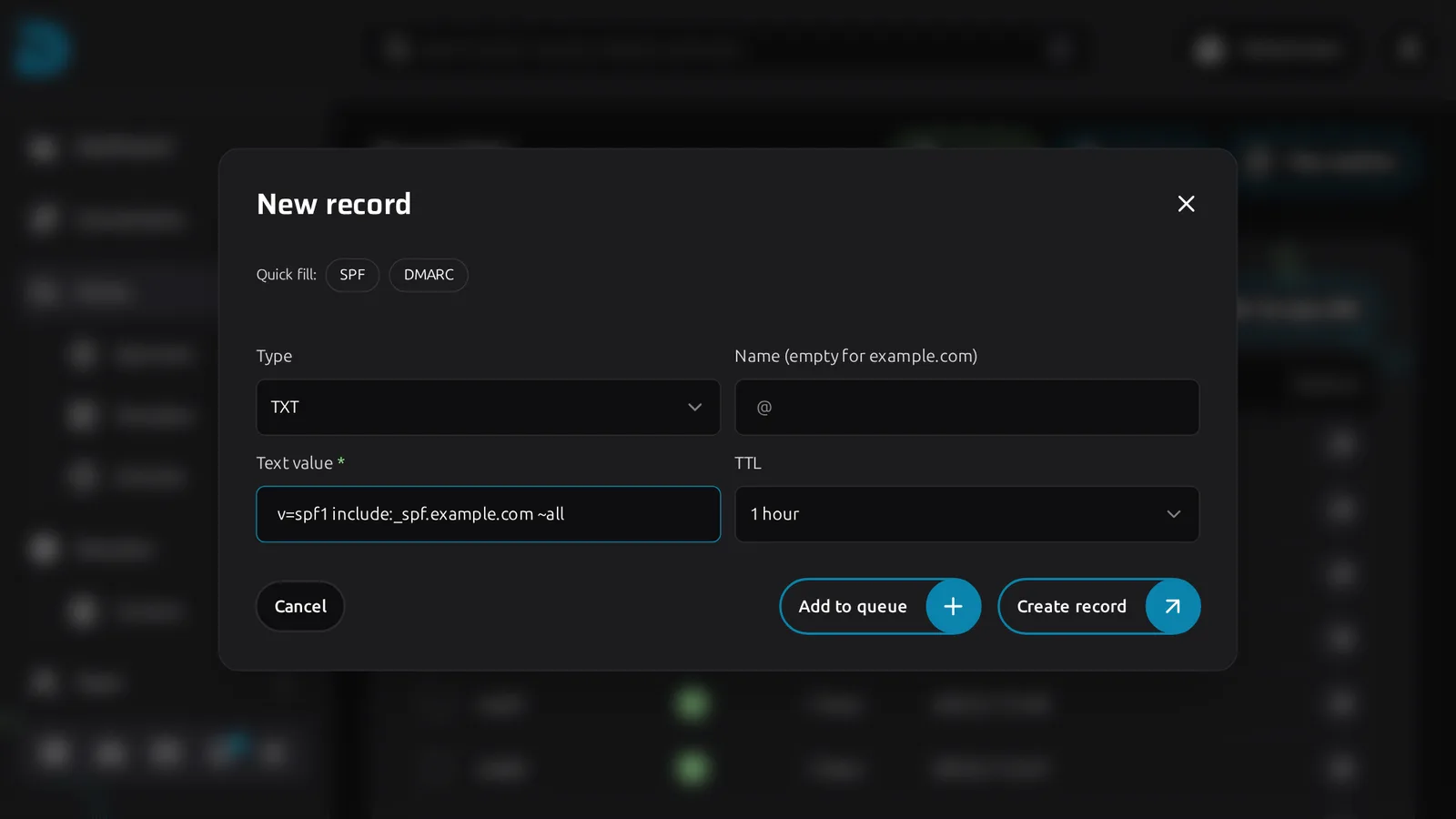
Click Create record, choose TXT, enter the name (_dmarc, or empty for the root) and paste the Text value. SPF and DMARC have quick fills that start you off with a sane value.
The record table cuts long values off, so a DKIM key looks shorter than it is.
When it does not work
DNS changes take up to the TTL to spread, so a verification tool that fails right after you add a record may just be looking at an old cache. Wait, or check against the provider's own nameserver. Also check the name: _dmarc.example.com entered in a zone for example.com becomes _dmarc.example.com.example.com if you type the full name where the form wants a relative one.