Prepare it today, go live at 06:00

Migrations land outside office hours. Prepare the record change by day, pick the minute it should run and Switcher makes the change, whether anyone is awake or not.

Start for free
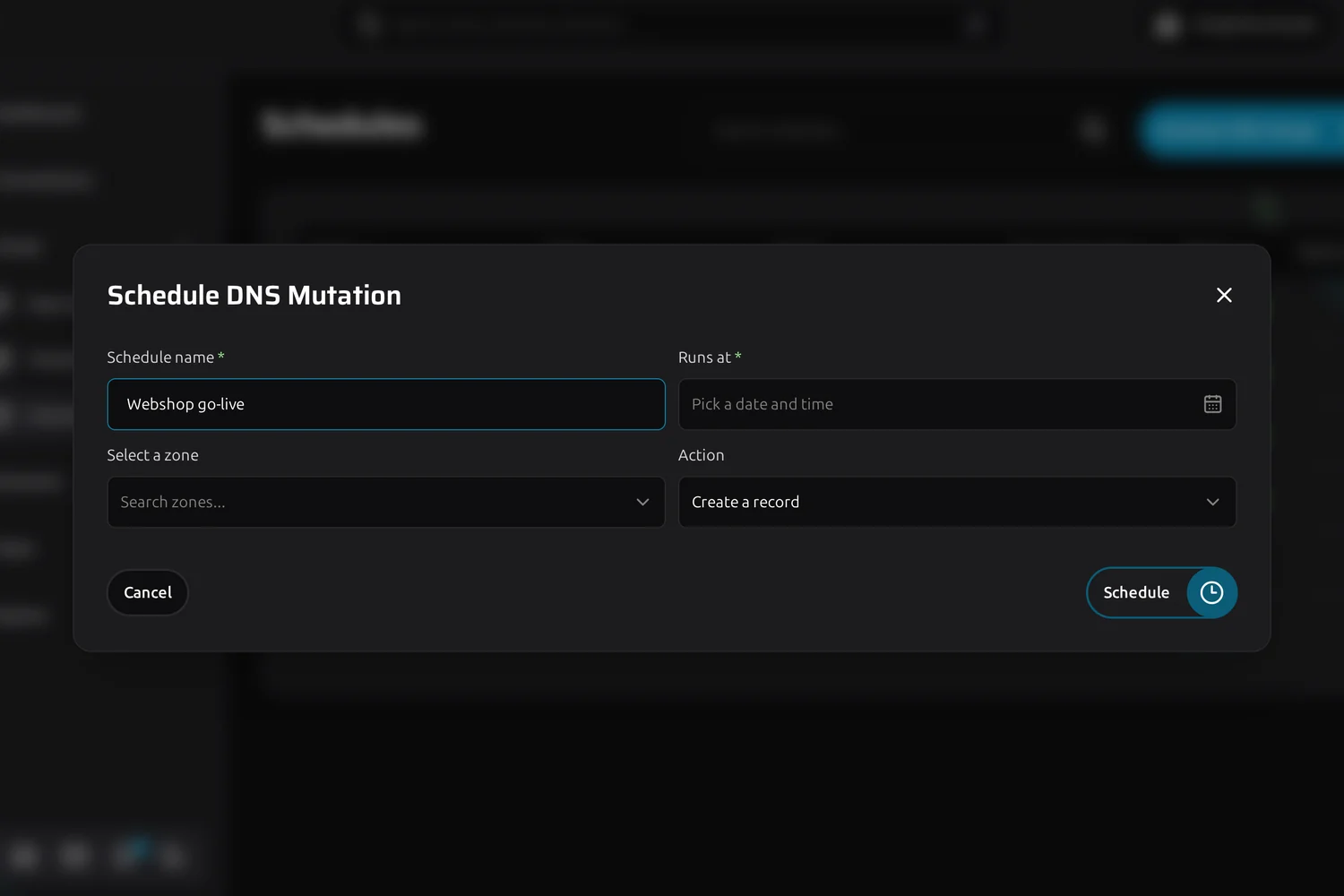
Schedule overview with upcoming and applied DNS changes
Switcher

Timed to the minute, no more late hours

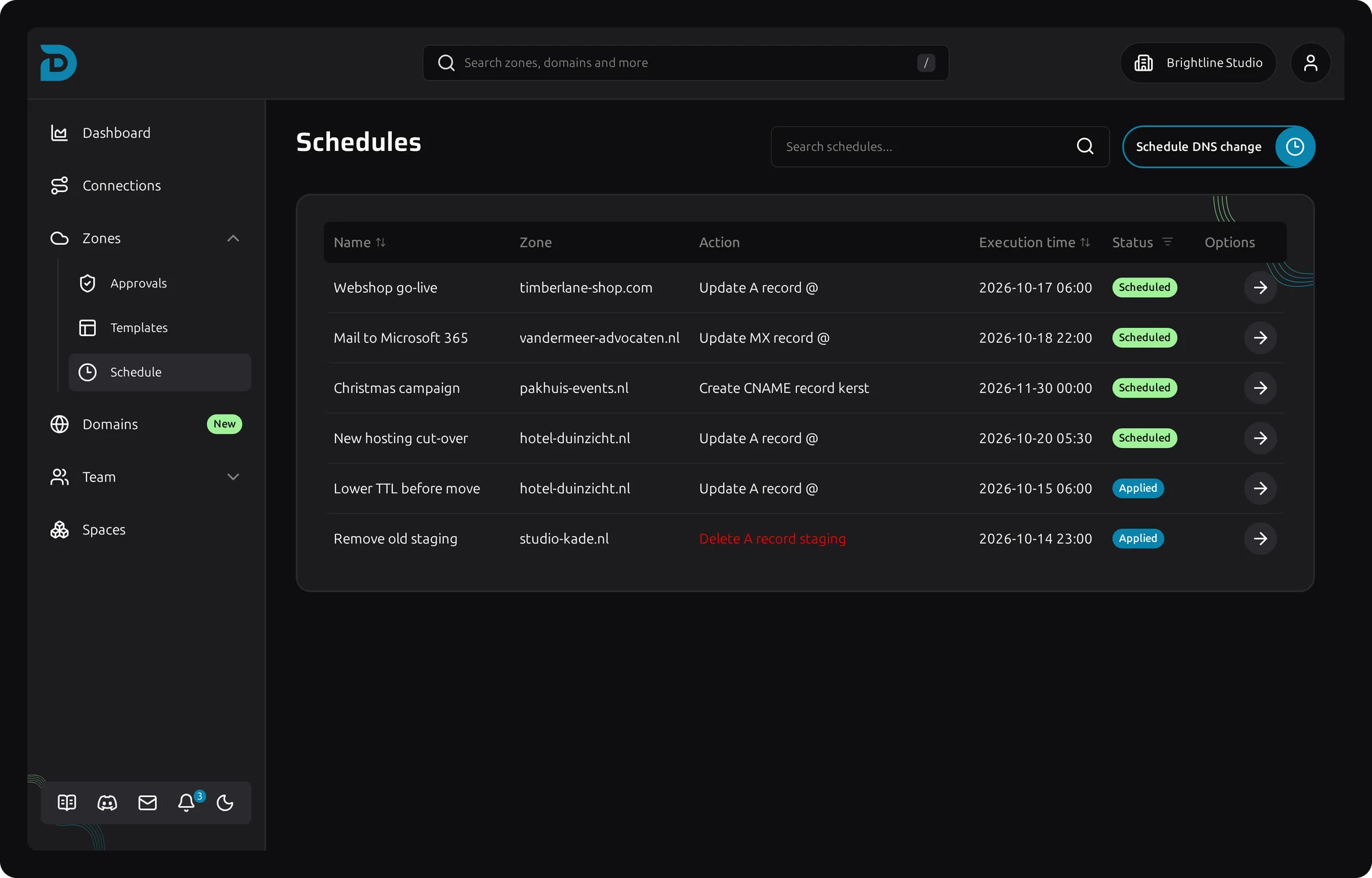
Dialog for scheduling a DNS change

Put a record change on the clock

Creating, editing or deleting a record can all be scheduled. The change is checked when you save it, so a typo shows up now and not at the hour nobody is watching.

How it works:

  1. Give the schedule a name you will recognise later, like "Webshop go-live"
  2. Pick the zone and the record change
  3. Choose the date and time, down to the minute
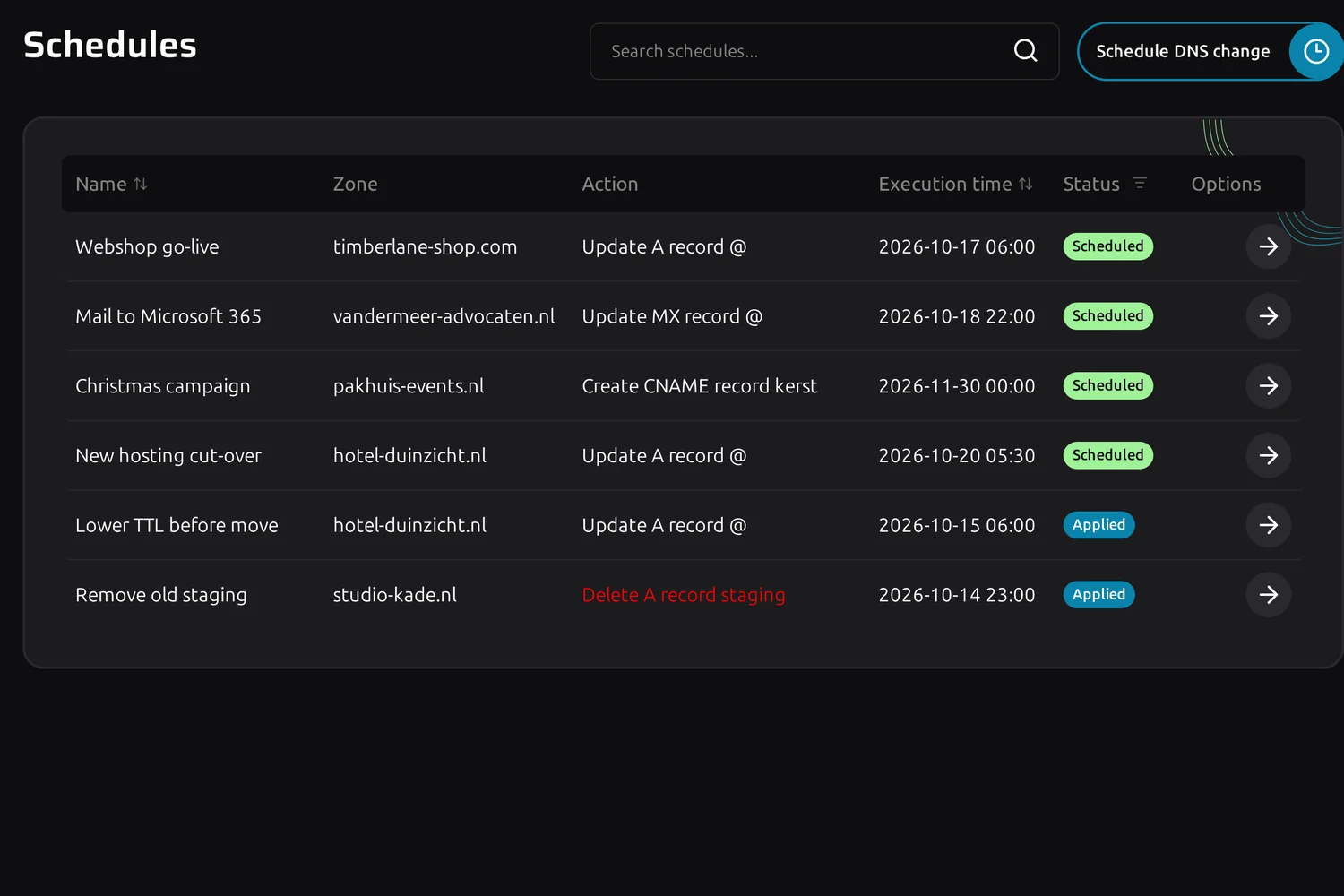
Schedule overview with status per scheduled change

A queue you can read at a glance

Every schedule shows its zone, the change and when it runs. Scheduled, applied or failed, the status is right next to it, so Monday morning starts with an answer instead of a question.

  • Several schedules in the queue at once, sorted by execution time
  • Change or cancel a schedule any time before it runs
  • Overnight cut-overs and weekend mail moves without anyone logged in
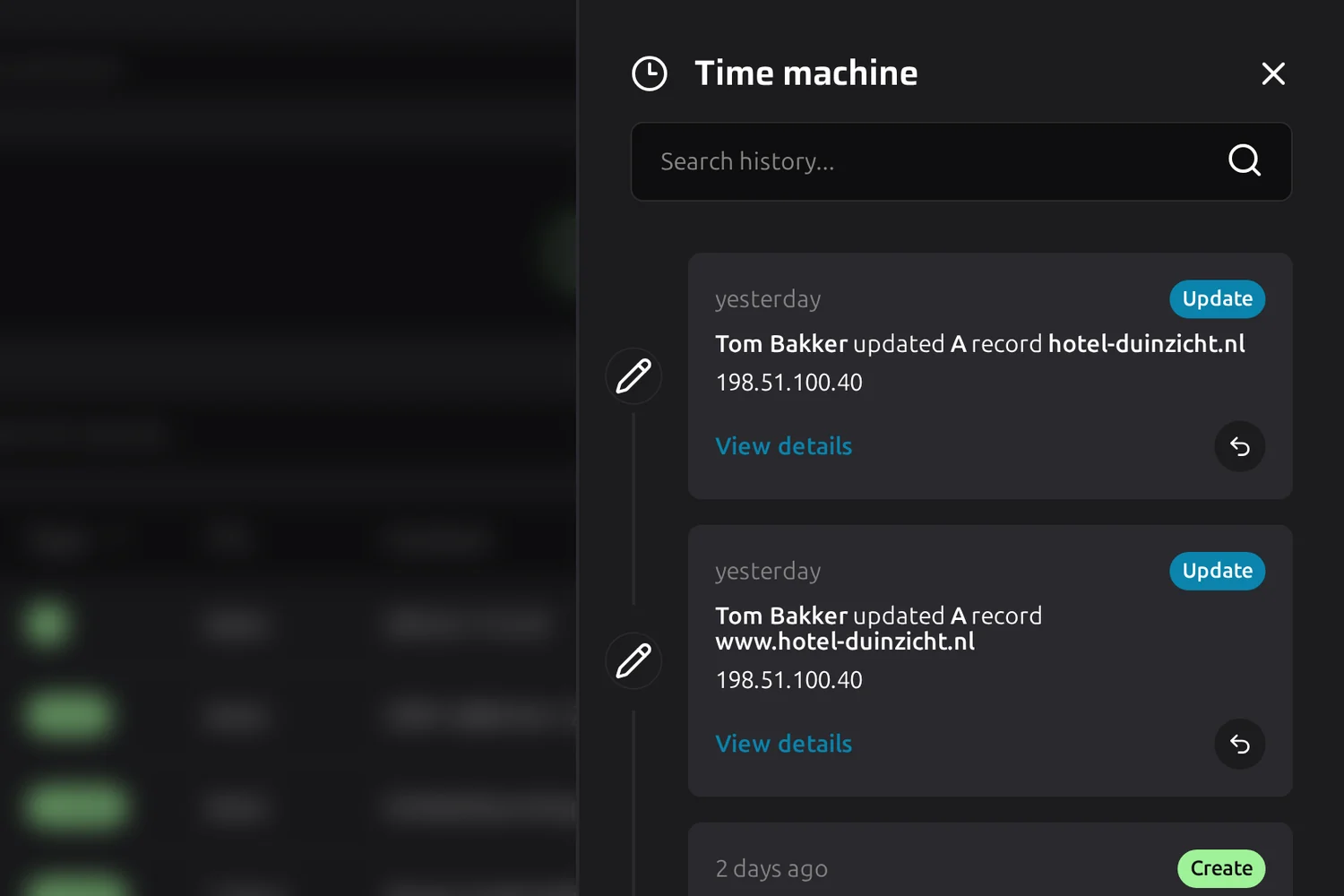
Time machine of a zone after a scheduled TTL change

What ran is on the record

A schedule that comes due becomes an ordinary change. It shows up in Time machine and in the audit log like one you made by hand, and it reverts the same way.

  • A refused change reports back with the provider's own error
  • Revert what ran in one click from the zone history
  • Schedules by roles that need approval wait for approval first
Questions

Frequently asked questions about Switcher

Yes. A schedule stays editable until the moment it runs, so you can adjust the record, move the time or cancel it.

Creating, editing and deleting a DNS record. Zone file imports and templates are left out on purpose, because what they write is decided when they run rather than when you plan them.

Switcher checks for due changes every minute, so a change scheduled for 06:00 goes to the provider at 06:00.

You get a notification with the provider's own error, and the schedule shows it failed, so it is clear the change never happened.