Exactly the access they need, nothing more

A junior can fix a TXT record without being able to delete a provider connection. A freelancer can propose a change without pushing it live. You draw those lines yourself.

Start for free
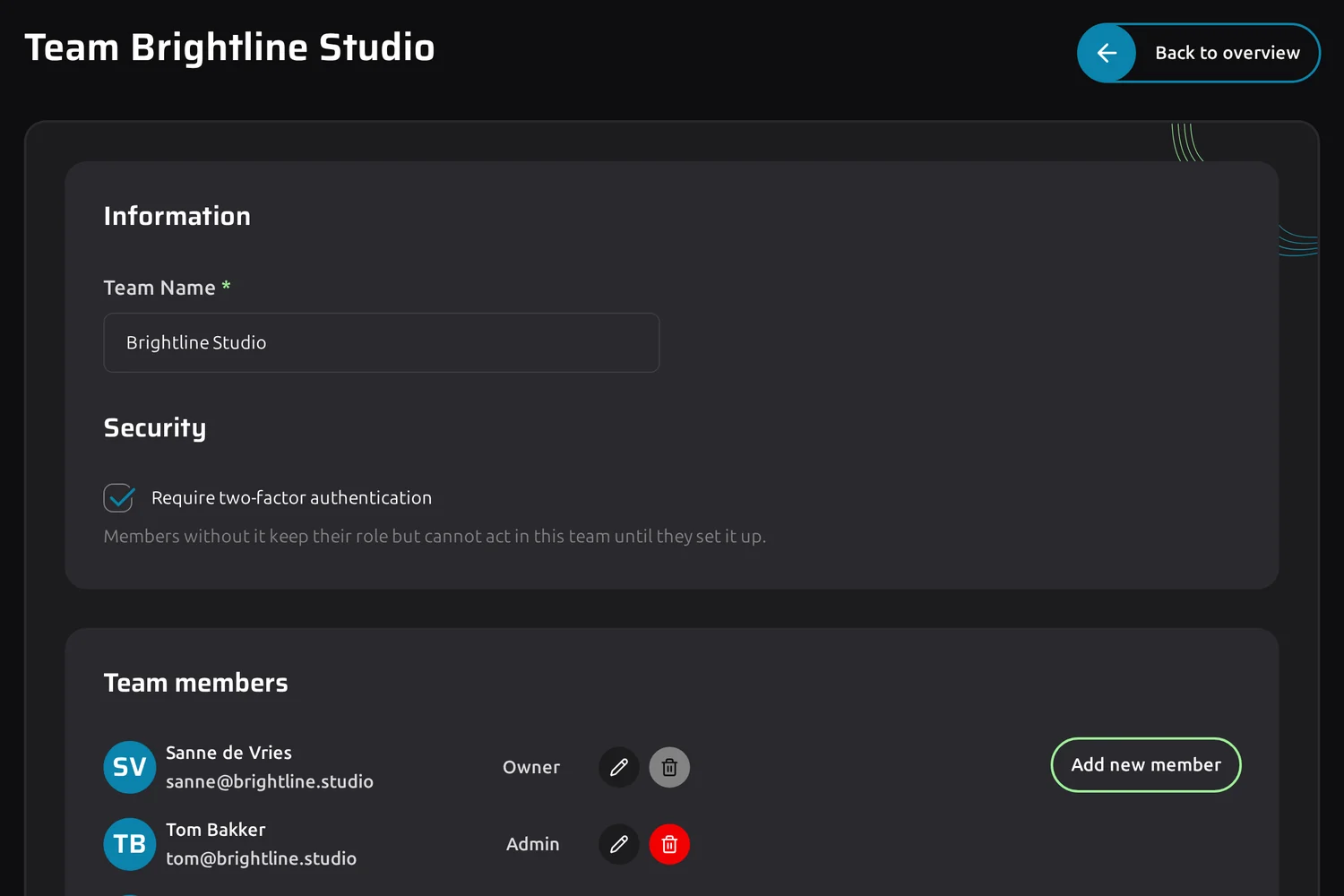
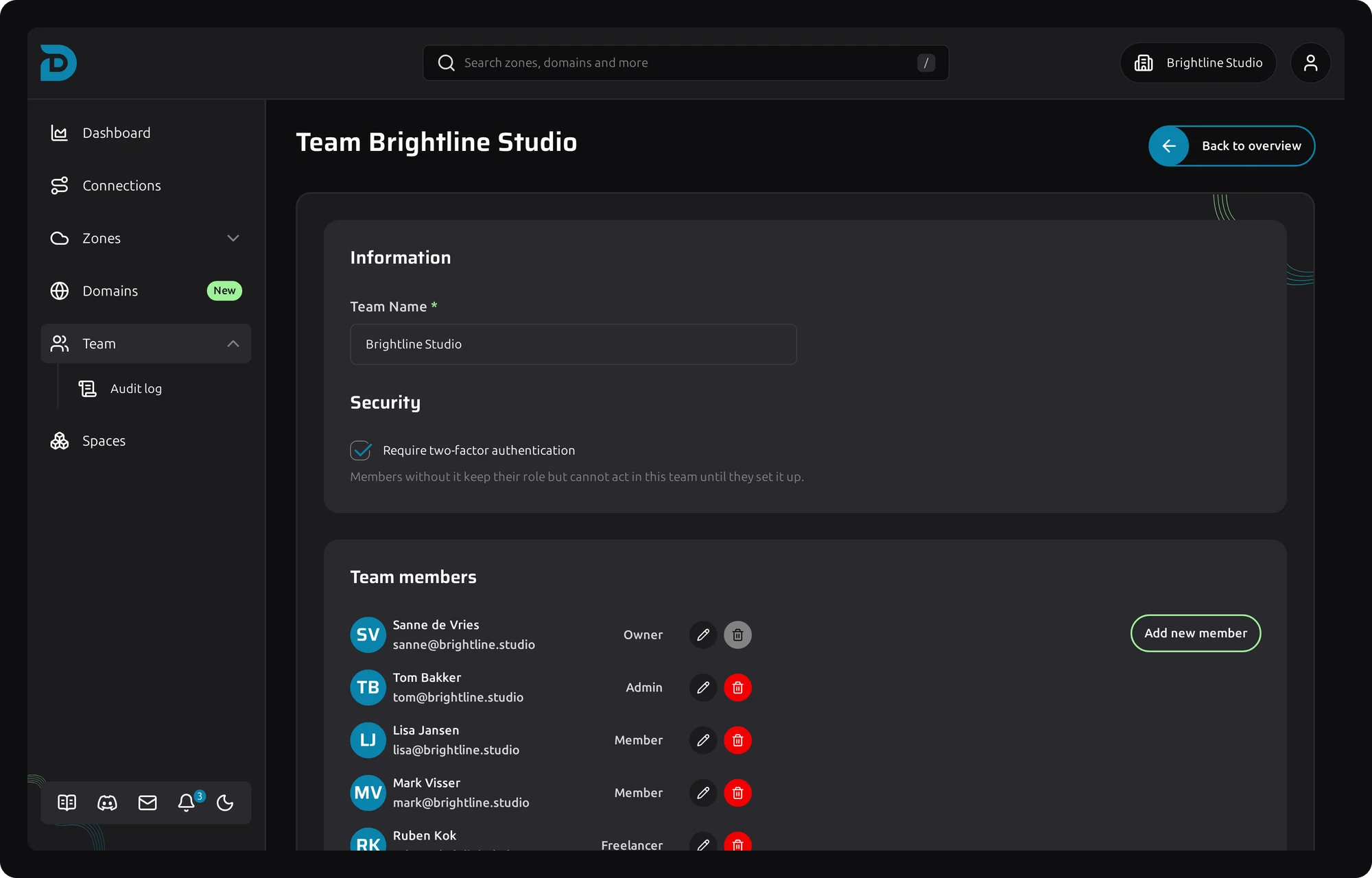
Team settings with two-factor authentication required and the member list
Team roles

Four roles to start with, then shape them to your team

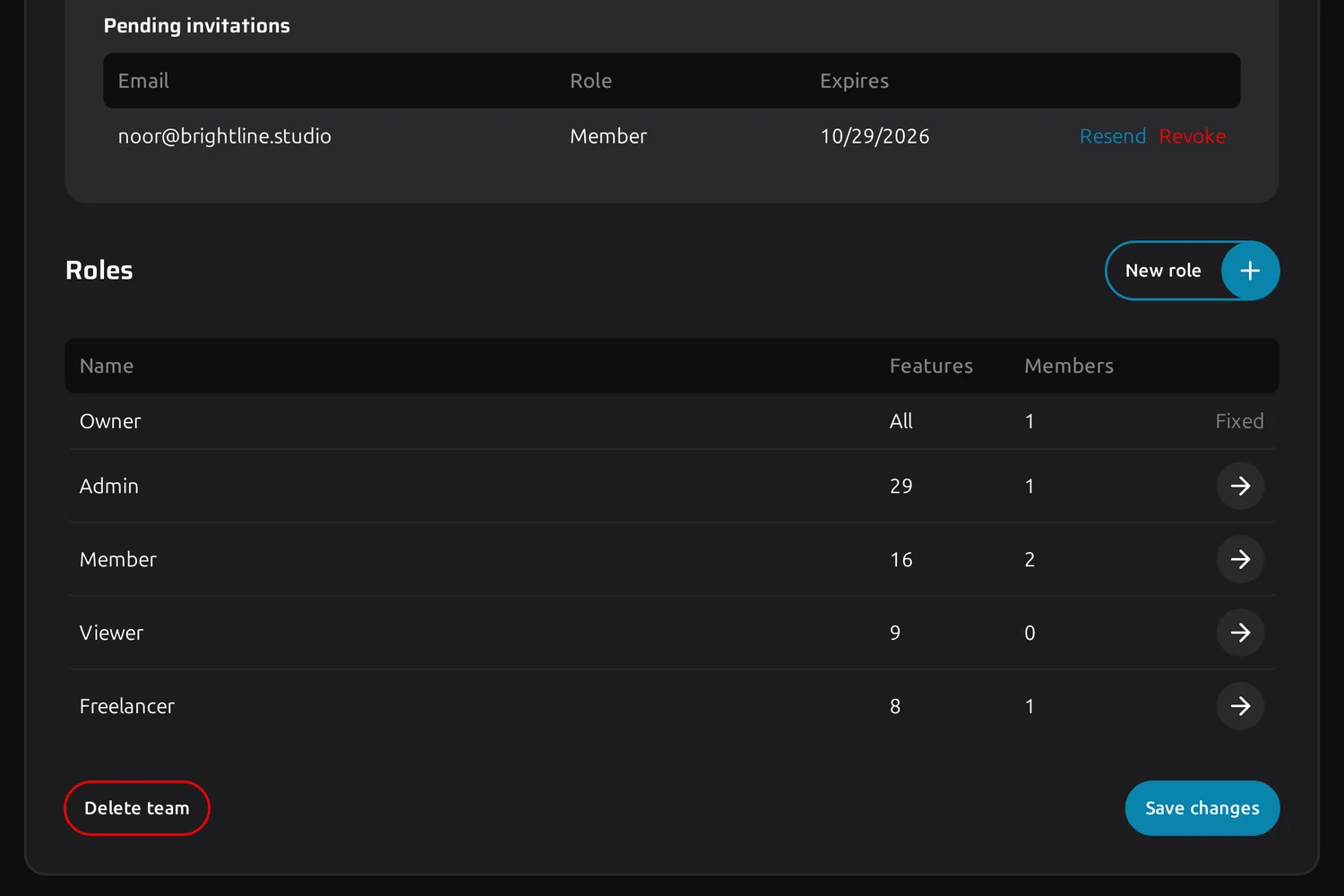
Roles overview with Owner, Admin, Member, Viewer and a custom Freelancer role

Ready on day one

A new team starts with Owner, Admin, Member and Viewer already set up. Most teams never need more. The ones that do add their own role next to them.

  • Owner holds every permission and cannot be edited, so a team never locks itself out
  • Member works the DNS data without administering the team
  • Viewer reads everything and changes nothing, useful for a client or an auditor
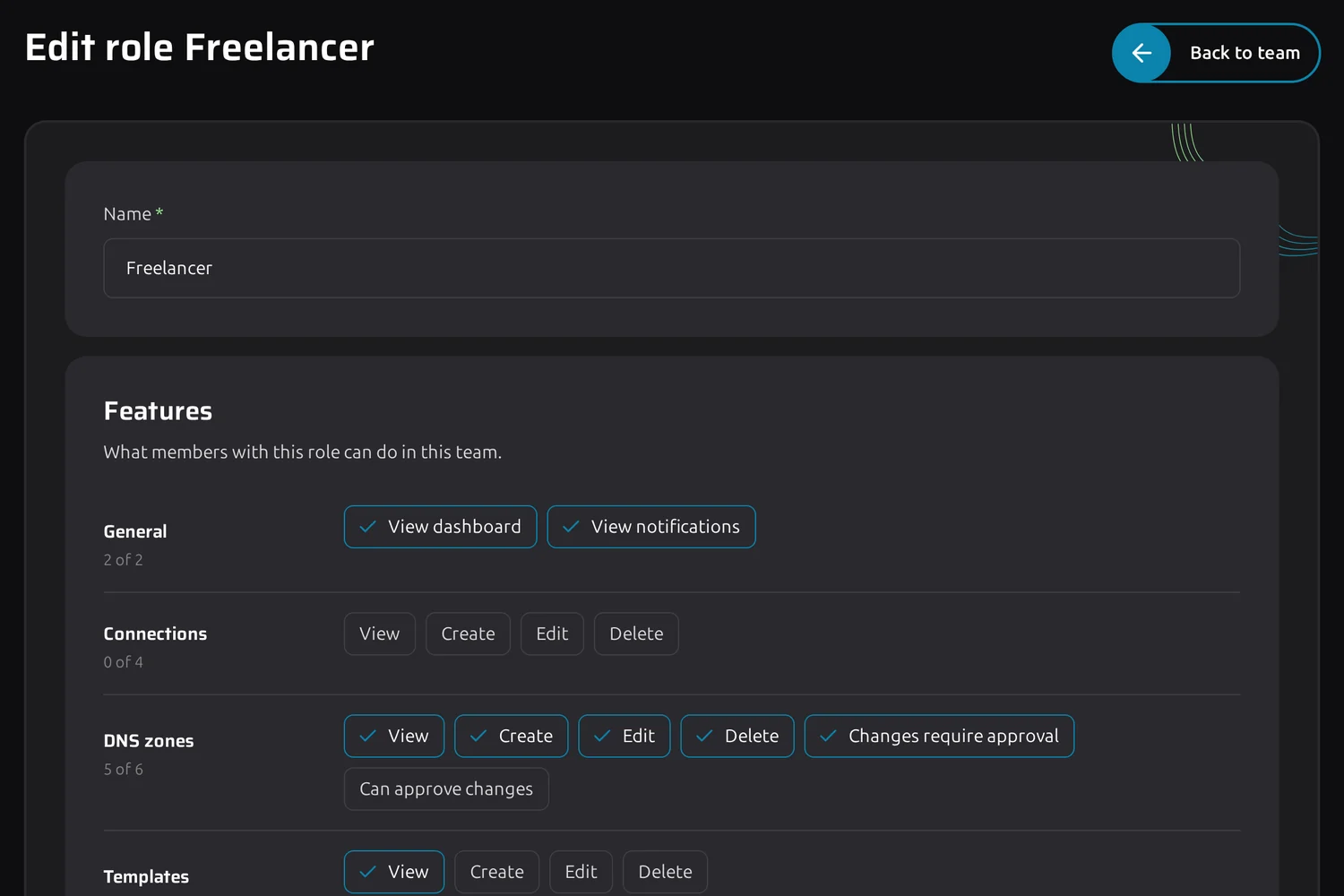
Permission matrix of a Freelancer role

Permissions per area, per action

View, create, edit and delete are set separately for connections, zones, templates, schedules, domains, spaces and the team itself. Rename a role, build a new one or take one permission away.

  • Team settings, members and roles kept apart from the DNS work
  • Changes apply straight away, on every screen and API call
  • Adding a colleague costs nothing, DNSense never charges per user
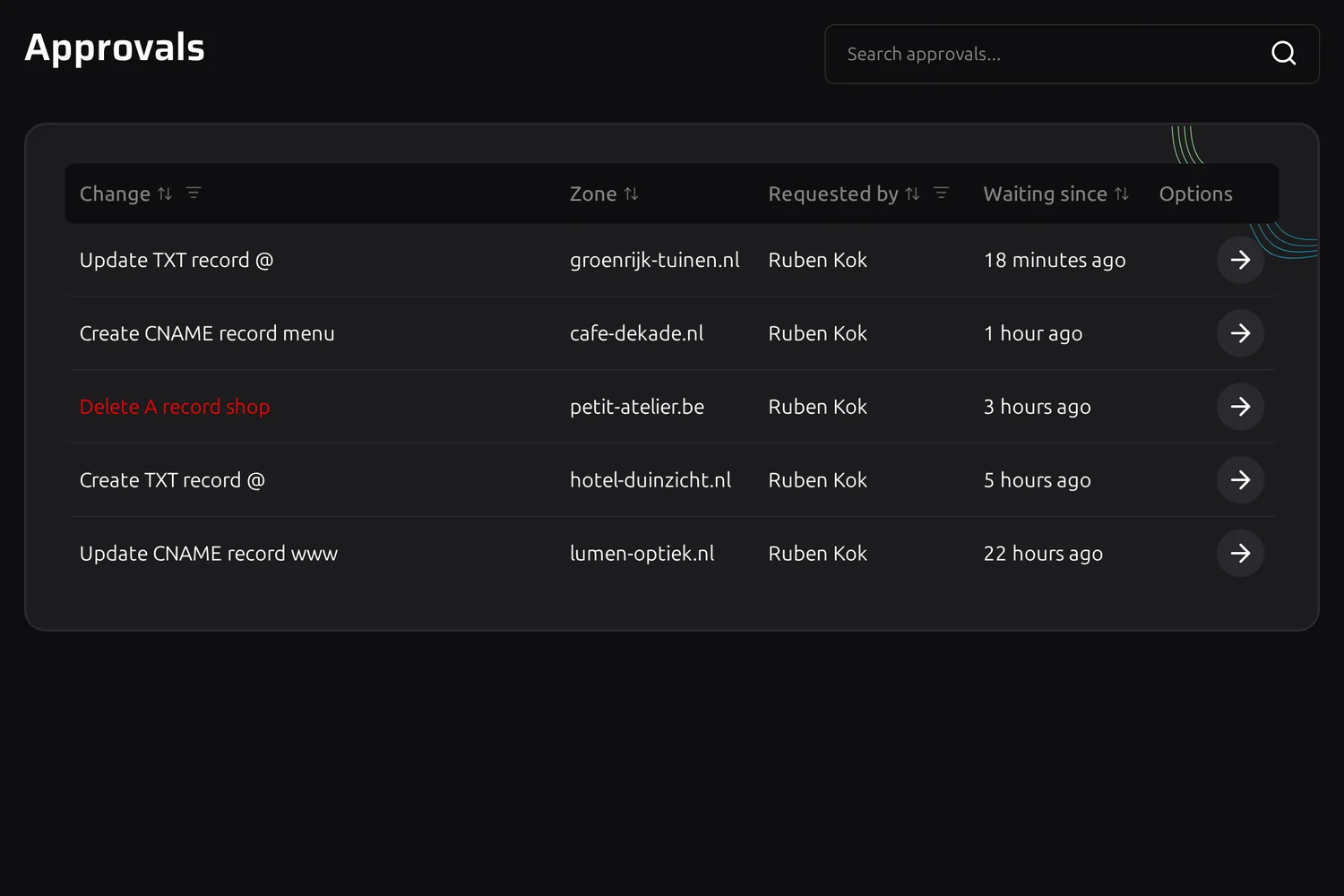
Approvals queue with changes waiting for review

Changes that wait for a second pair of eyes

Give a role "Changes require approval" and its record changes are held back instead of sent to the provider. Someone with "Can approve changes" reviews them and lets them through or turns them down.

  • The team is notified the moment a change is waiting
  • See the change before and after, then approve or reject it
  • Approvals and rejections are written to the audit log
Team security setting that requires two-factor authentication

Two-factor as a team rule

Switch the requirement on and a member without two-factor authentication keeps their role but cannot act in the team until they set it up. Not a reminder mail they can ignore, an actual gate.

  • One switch in team settings, applied to everybody at once
  • Members see what is missing and where to set it up
  • Changing the requirement is written to the audit log
Questions

Frequently asked questions about team roles

As many as you like. DNSense charges for the number of domains and zones you manage, never per user.

Yes. The four starter roles are a starting point. Rename them, change their permissions or add a role of your own, like a Freelancer whose changes need approval.

Every member whose role has the "Can approve changes" permission. Owners have it by default.

No. The Owner role always keeps the full set of permissions and cannot be edited, and whoever manages team security can always switch the two-factor requirement back off.