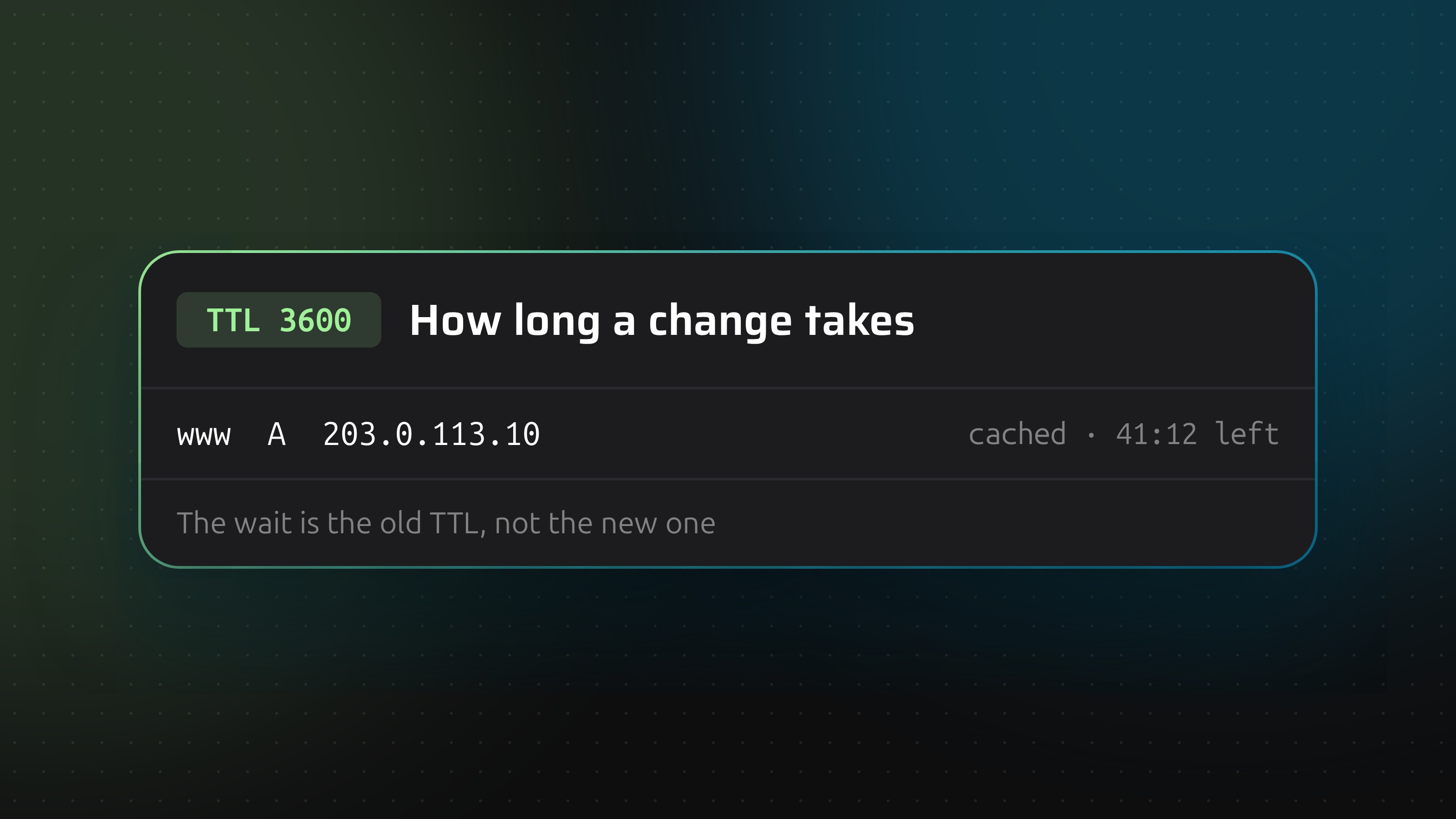
Your change is live on your nameserver within seconds. What takes time is everyone who already holds the old answer, and they hold it for as long as the old TTL said. So the usual wait is minutes to an hour, up to a day if the record had a long TTL, and up to two days when you change nameservers.
"Propagation" is the wrong word for this. Nothing travels across the internet. Copies of an answer sit in caches, and each copy expires on its own clock.
The short version
The record type does not matter. An MX record waits on its own TTL like an A record does. The "MX takes 48 hours" story exists because MX records often ship with long TTLs.
What happens when you save a record
- Your provider updates its nameservers. Usually within seconds. Route 53, for one, reports a change as in sync, normally within a minute. If the zone is also served by secondary nameservers, they catch up through a zone transfer, which is immediate when the primary sends a NOTIFY and otherwise waits for the SOA refresh interval.
- Any resolver that asks from now on gets the new answer. It caches it for the new TTL.
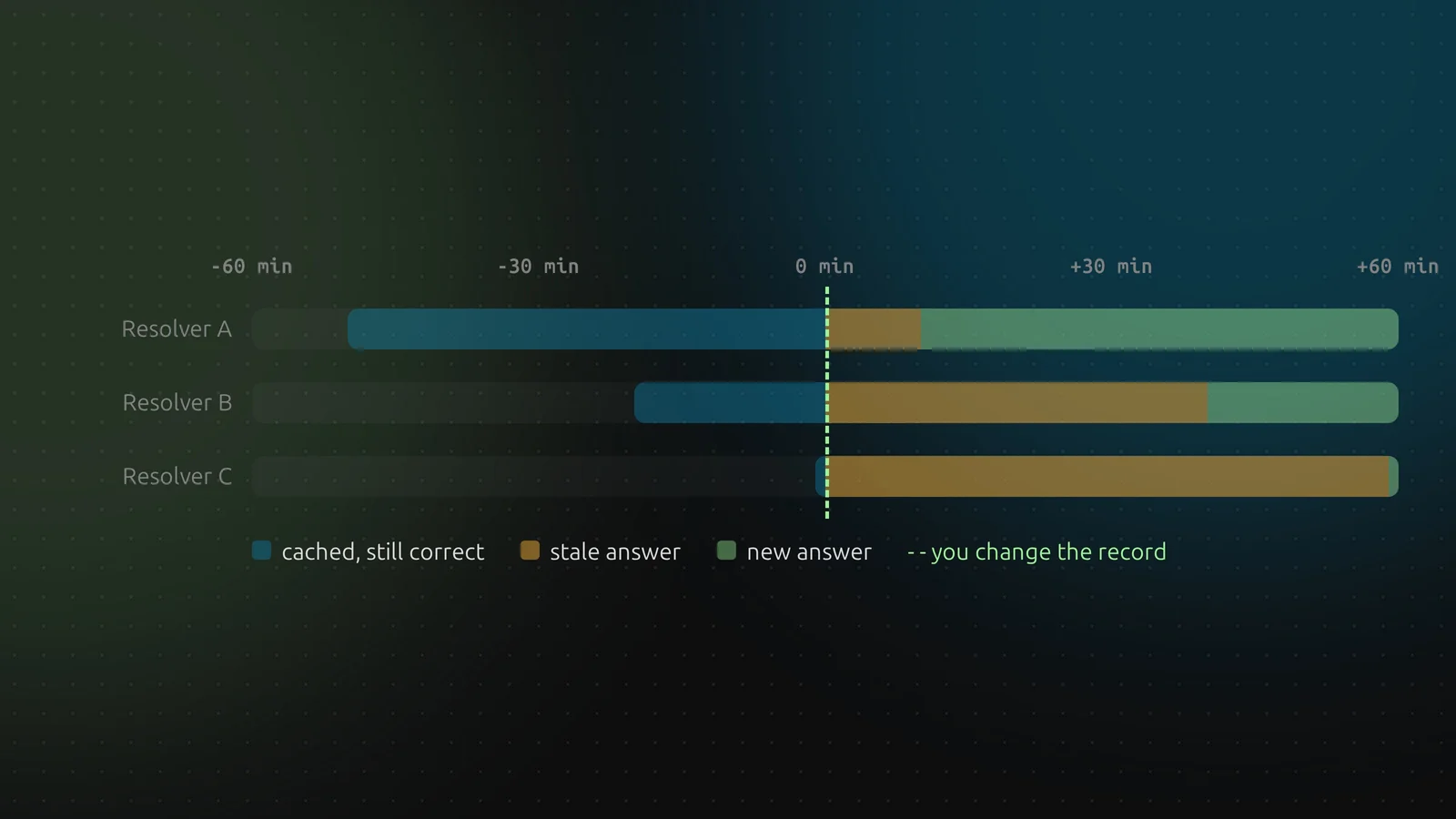
- Any resolver that asked before keeps the old answer until its copy runs out. The copy was stored with the TTL of that moment, and it counts down from there.
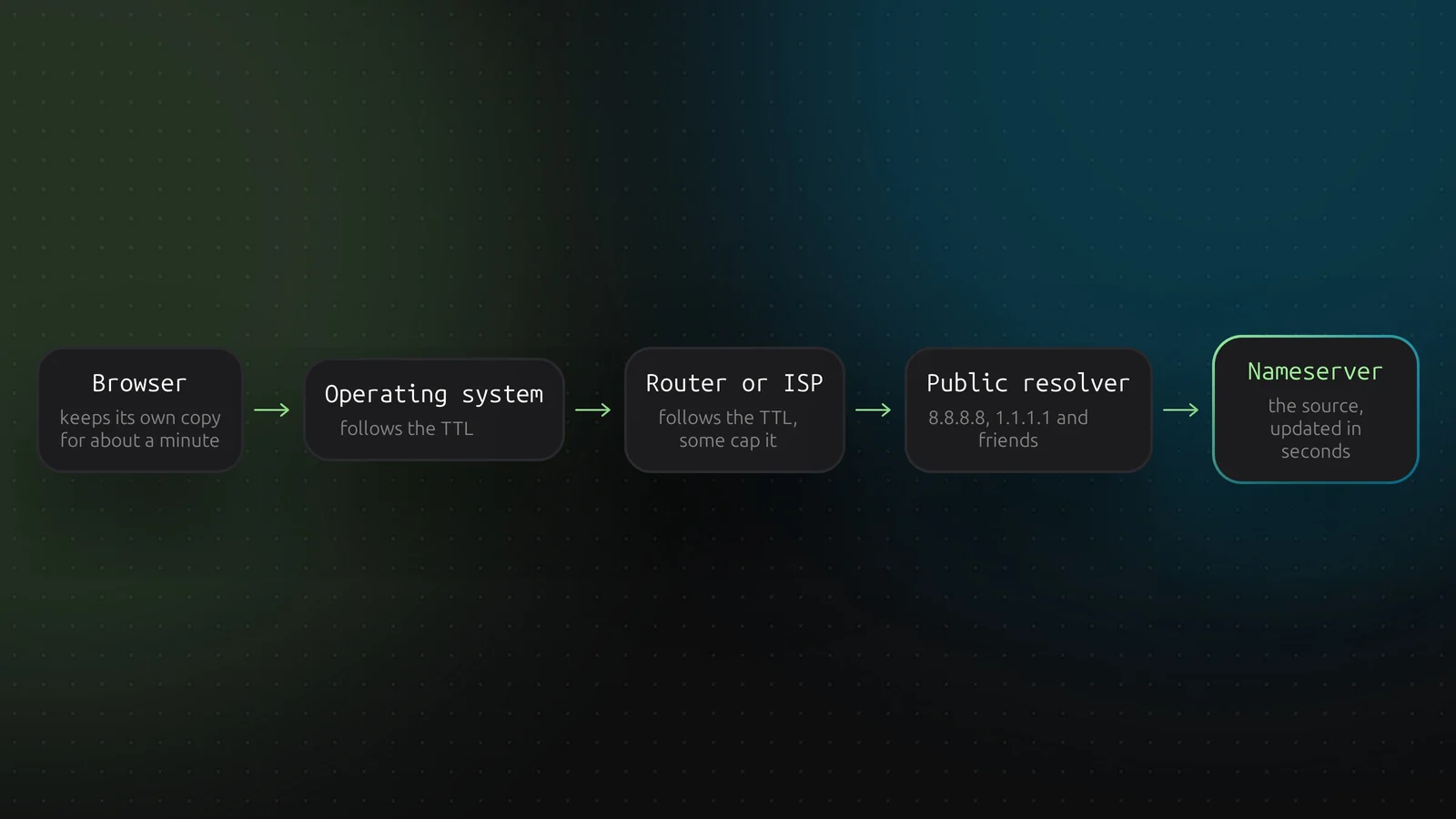
There is more than one cache in the chain, and each can hold its own copy.
Your browser keeps a short cache of its own. The operating system caches by TTL. Home routers and ISP resolvers cache by TTL, and some of them cap very long TTLs. Public resolvers such as 8.8.8.8 and 1.1.1.1 do the same. Only the last box, your nameserver, knows the truth.
The rule: the old TTL decides
A TTL applies to answers fetched after you set it. Lowering the TTL at the moment you change the record helps nobody who already cached the old one.
Take a record with a TTL of one hour that you change at 12:00. A resolver that cached it at 11:10 expires at 12:10. One that cached it at 11:40 expires at 12:40. One that cached it at 11:59 keeps the old answer until 12:59.
So the worst case is always the full old TTL, and the average is half of it. Plan with the worst case.
Plan a change
- Look up the current TTL.
dig +noall +answer www.example.com prints it in the second column. - Lower the TTL at least one full old TTL before the change. If it is a day, do it a day ahead. If it is an hour, an hour is enough. Take a margin. Set it to 300 seconds.
- Wait until the old TTL has passed. From then on every cache in the world holds a copy that expires within 5 minutes.
- Make the change. Keep the old server running.
- Check it against your nameserver and two public resolvers (below).
- Keep the old server for another few minutes, then switch it off. Raise the TTL back to an hour or more.
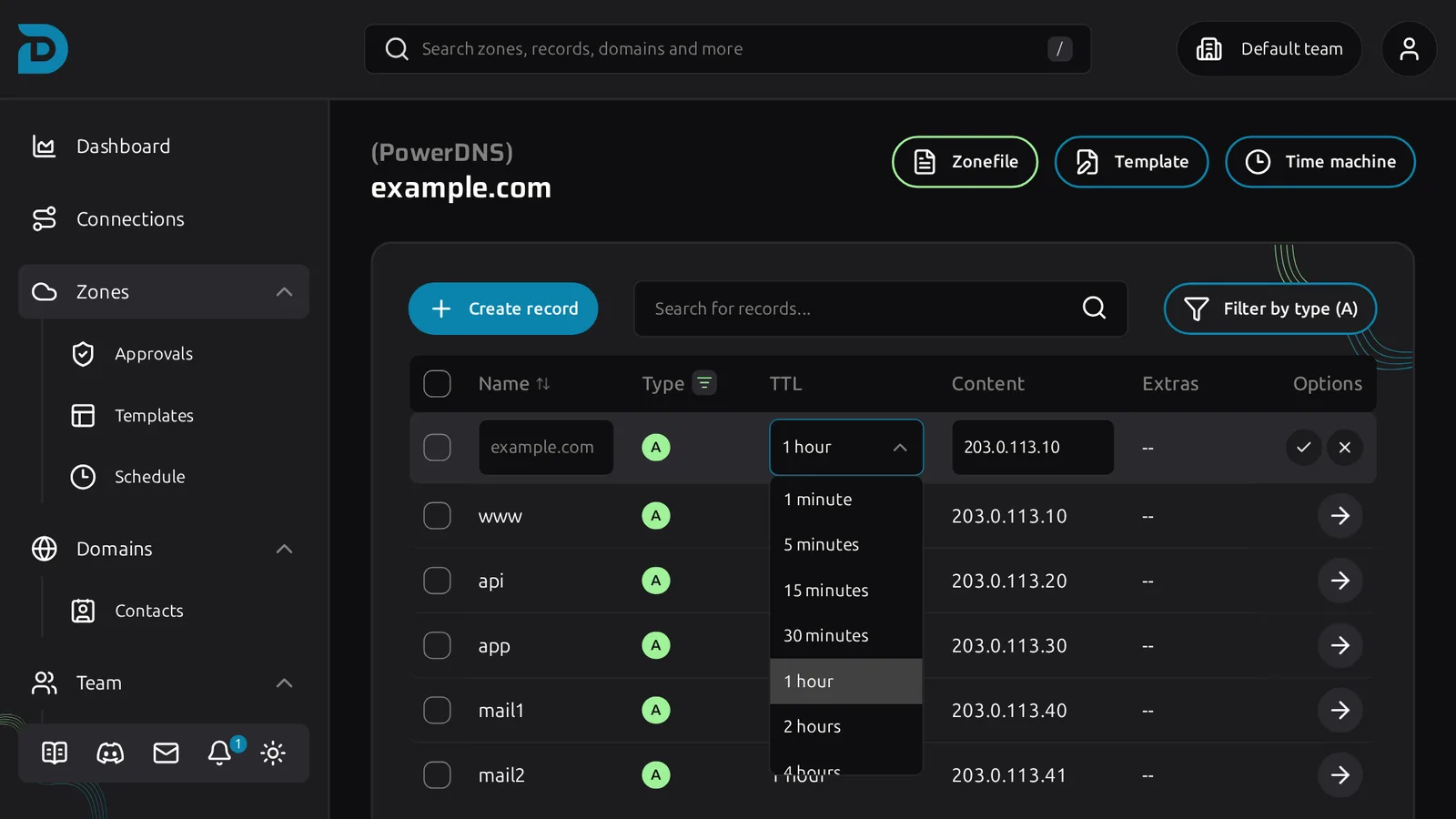
In DNSense you set the TTL inline: open a record's options, click the pencil, pick a value from 1 minute to 1 day and confirm.
Providers differ in what they accept. Porkbun and GoDaddy do not go below 600 seconds, Namecheap goes down to 60, and Openprovider only keeps a fixed list of values and stores anything else as 86400. Cloudflare records that run through its proxy use an automatic TTL, so there is nothing to lower.
The cutover itself can wait for a quiet moment. Switcher applies a prepared change at a time you pick, so the sequence "lower the TTL now, switch at 06:00 on Saturday" does not need you awake.
Why a new record can look missing
If a resolver asks for www.example.com before you create it, it gets "does not exist" and caches that answer too. This is negative caching. It lasts for the lower of the zone's SOA TTL and the SOA minimum field, which is often between 5 minutes and an hour.
It bites in a typical way: you create the record, a certificate tool or monitor looks it up a minute early, and the resolver you test with then says NXDOMAIN for a while. Avoid looking up a name before it exists.
Nameservers and DNSSEC: the slow ones
When you move a domain to other nameservers, you change the delegation at the registrar. The registry publishes it quickly. But resolvers cache the old delegation, and its TTL belongs to the registry, not to you. For .com that is two days, and you cannot lower it. Other extensions differ.
Two things follow:
- Serve the zone on both providers for two days. Copy the zone to the new provider first and compare it record by record. Only then change the nameservers.
- Remove DNSSEC first. If you leave the DS record at the registry while the new provider does not sign the zone, validating resolvers will treat the domain as broken. Remove the DS record, wait for its TTL, then change the nameservers, then sign again at the new provider.
Check what the world sees
Ask your authoritative nameserver and two public resolvers:
dig NS example.com +short
dig +noall +answer www.example.com @ns1.example-dns.net
dig +noall +answer www.example.com @8.8.8.8
dig +noall +answer www.example.com @1.1.1.1
If the nameserver still shows the old answer, the problem is not caching. The change did not reach the provider, or you edited a different zone.
The second column of a resolver's answer is its remaining TTL. Run the command twice: it counts down. A number that jumps back to the full TTL means the resolver just fetched a fresh copy, so it has the new answer. A number that keeps counting down on the old value tells you how long you still have to wait.
You can flush a public resolver yourself. Google and Cloudflare both have a page to purge a name from their cache (dns.google/cache and one.one.one.one/purge-cache). Your own machine has a cache too:
resolvectl flush-caches                                    # Linux with systemd-resolved
sudo dscacheutil -flushcache; sudo killall -HUP mDNSResponder   # macOS
ipconfig /flushdns                                         # Windows
You cannot flush your visitors' ISPs. That is why the TTL plan matters.
Online "propagation checkers" query a list of resolvers around the world. They are a good sanity check, but a green map does not mean every resolver is up to date.
Mistakes that cost an evening
- Changing the TTL and the record in the same step. Nothing has the short TTL yet.
- Forgetting the AAAA record. The A record points to the new server, the AAAA record still points to the old one, and visitors with IPv6 land on the old host. See AAAA records explained.
- Testing from a cached machine. A VPN, DNS over HTTPS in the browser or a local resolver all have their own caches. Test with
dig against a named server. - Switching off the old server too early. The slowest cache decides, not the fastest.
- Leaving the TTL at 60 forever. It costs extra lookups for no reason once the change is done.
Undoing a change is another change
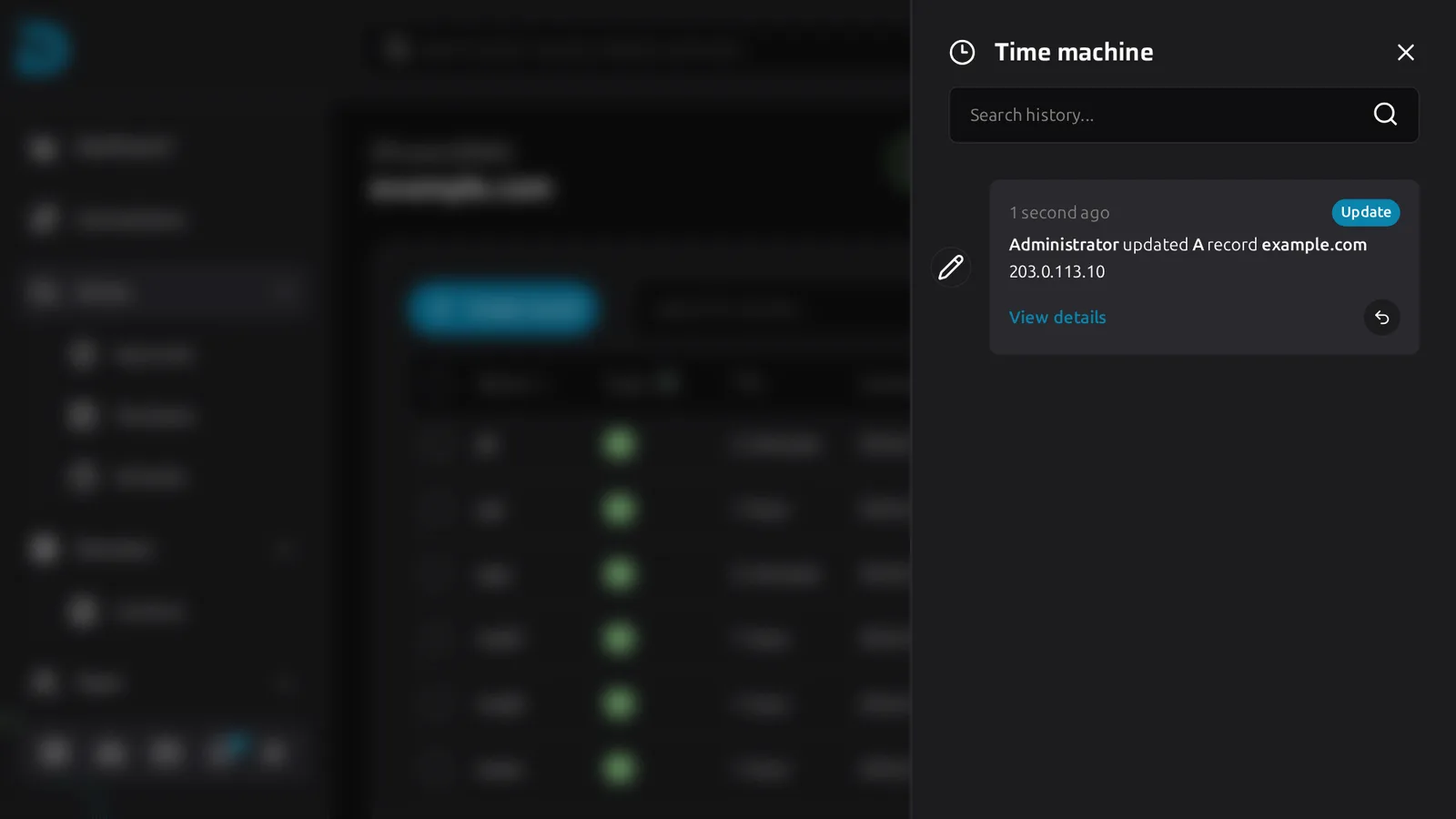
A revert takes effect at the provider in seconds, like any change. Resolvers that picked up the bad value keep it until its TTL runs out. DNSense keeps every change in Time machine, so a revert is one click.
But the click does not empty anyone's cache. That is the best argument for a low TTL before any risky change: it makes the mistake and the repair equally short.