How to get Porkbun API keys

Dennis Postma25 February 2026
Reading time3 minutes
Guides

Create a Porkbun API key and secret, switch on API access per domain, and connect the account to DNSense.

DNSense guide cover: a Porkbun API key and secret key pair

Porkbun asks for two things before the API answers: a key pair on your account, and API access switched on for each domain. Skip the second and DNSense connects fine but sees no domains, which looks like a bug and is not.

Create the key pair

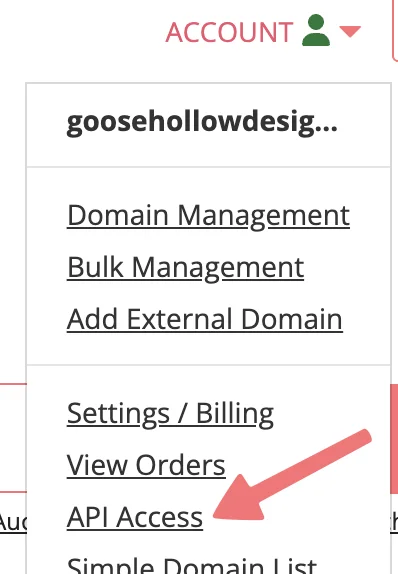
  1. Log in and open Account in the top right corner, then choose API Access.
The API Access entry in the Porkbun account menu
  1. Give the key a name. Permissions and an optional limit to certain domains or IP addresses sit on the same form. Leave the limits empty unless you know what you are doing. A wrong IP limit makes every call fail.
  2. Click Create API Key.
The create API key form
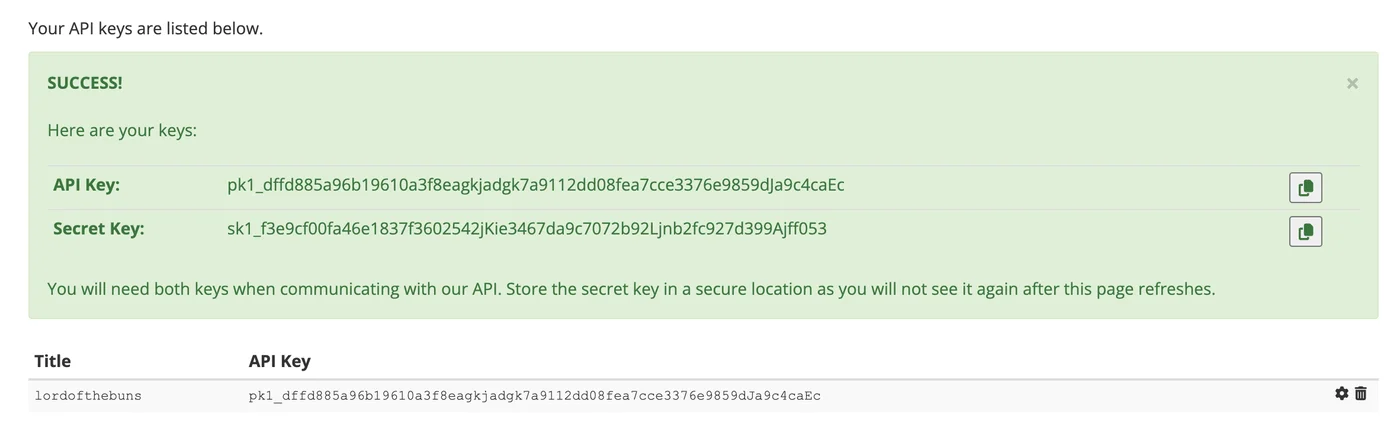
  1. Porkbun now shows the API Key (starts with pk1_) and the Secret Key (starts with sk1_). The secret is shown once. Copy both before you leave the page.
The new API key and secret key

Switch on API access per domain

  1. Go to Account > Domain Management.
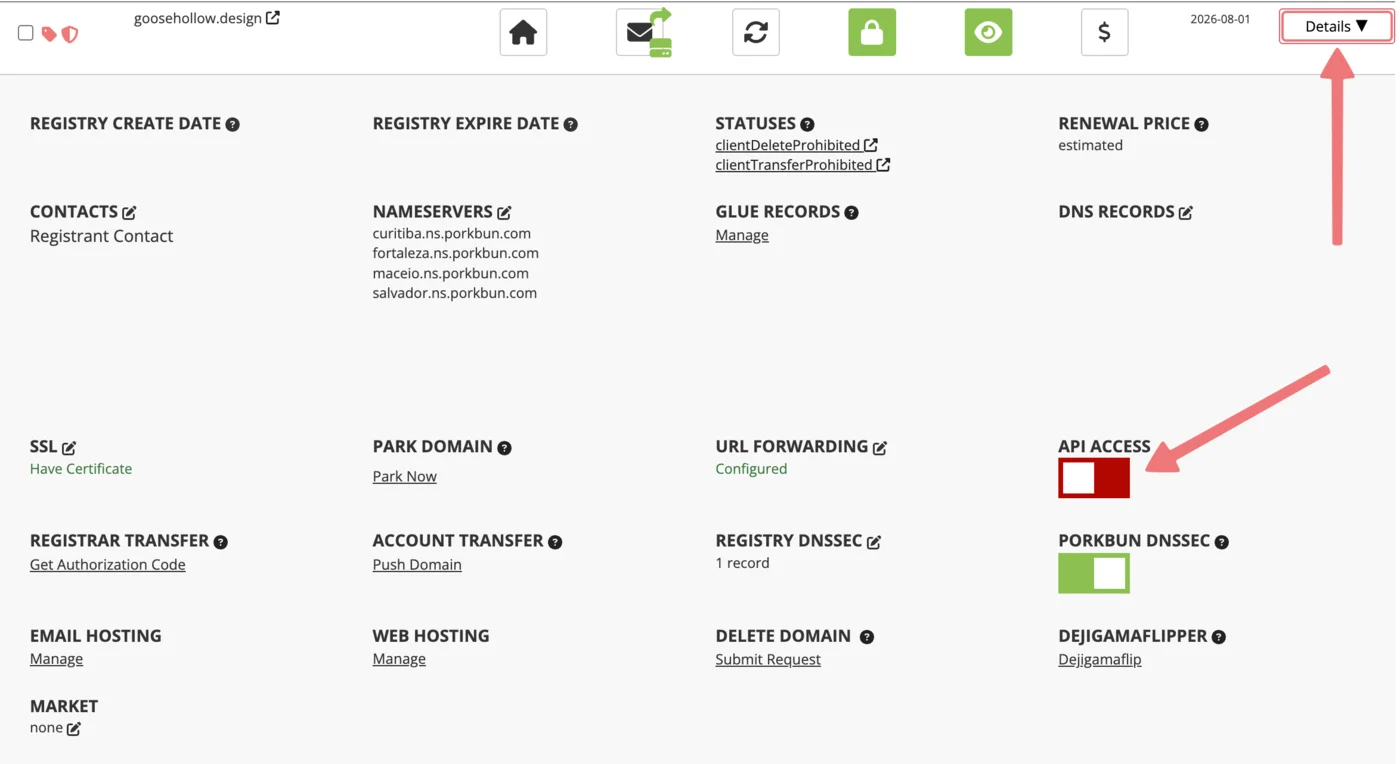
  2. Find the domain and click Details at the far right.
  3. Turn on API Access.
The API Access toggle on the domain details page

Do this for every domain you want DNSense to manage.

Connect it to DNSense

Add a connection, choose Porkbun, and paste the API key and the secret key into their own fields. Porkbun does not publish an API rate limit, so DNSense checks for drift on this connection less often than on others. Changes you make in DNSense are pushed straight away.