Namecheap is the strictest provider to set up. The key is easy. The catch is that Namecheap answers only from an IPv4 address you have whitelisted, and your account has to qualify for API access in the first place.
Check eligibility
For production access, Namecheap wants one of these on your account:
- at least 20 domains,
- a balance of at least $50, or
- at least $50 spent in the last two years.
If you meet none of them, Namecheap's sandbox (a separate account at sandbox.namecheap.com) is the only way to test. It will not hold your real domains.
Enable API access
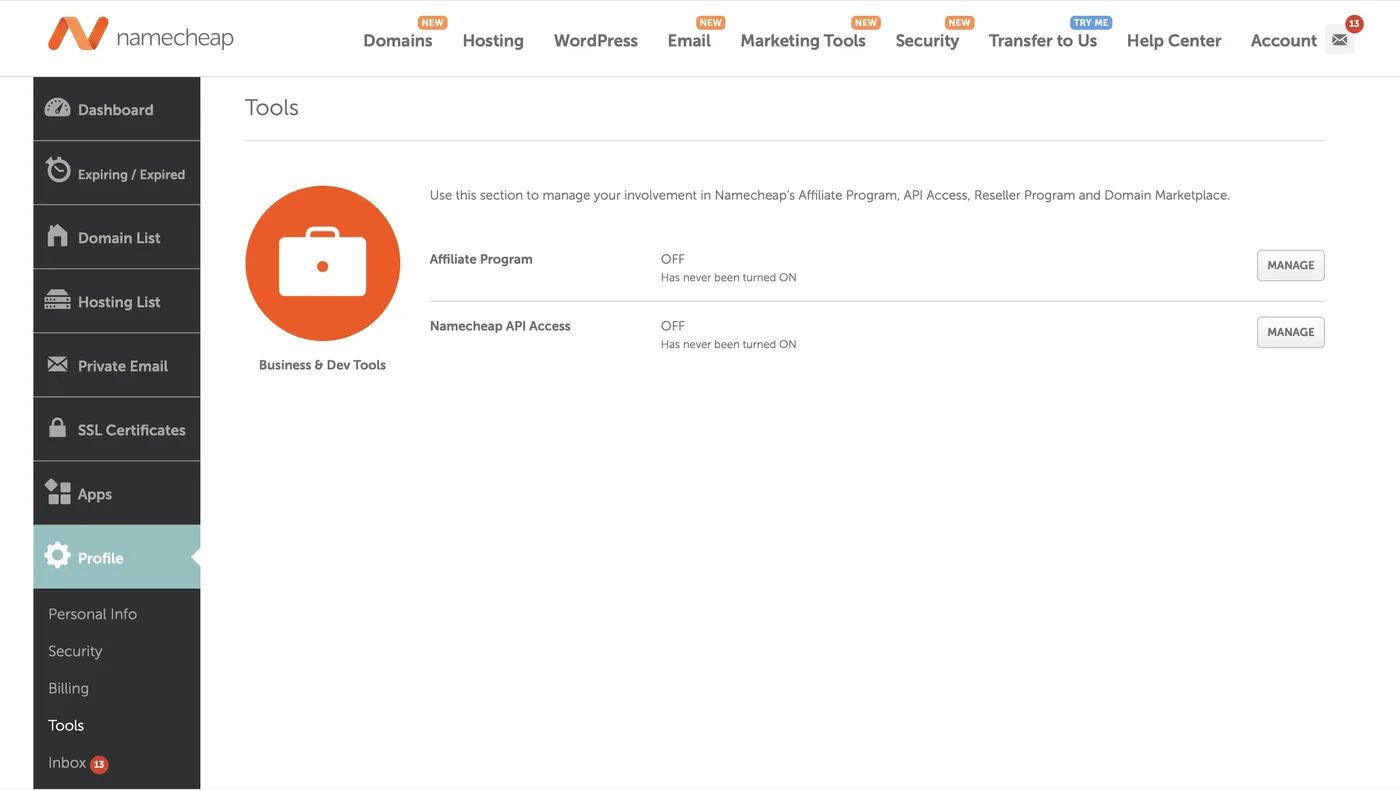
- Log in and go to Profile > Tools.
- Under Business & Dev Tools, find Namecheap API Access and click Manage.
Whitelist an IP address
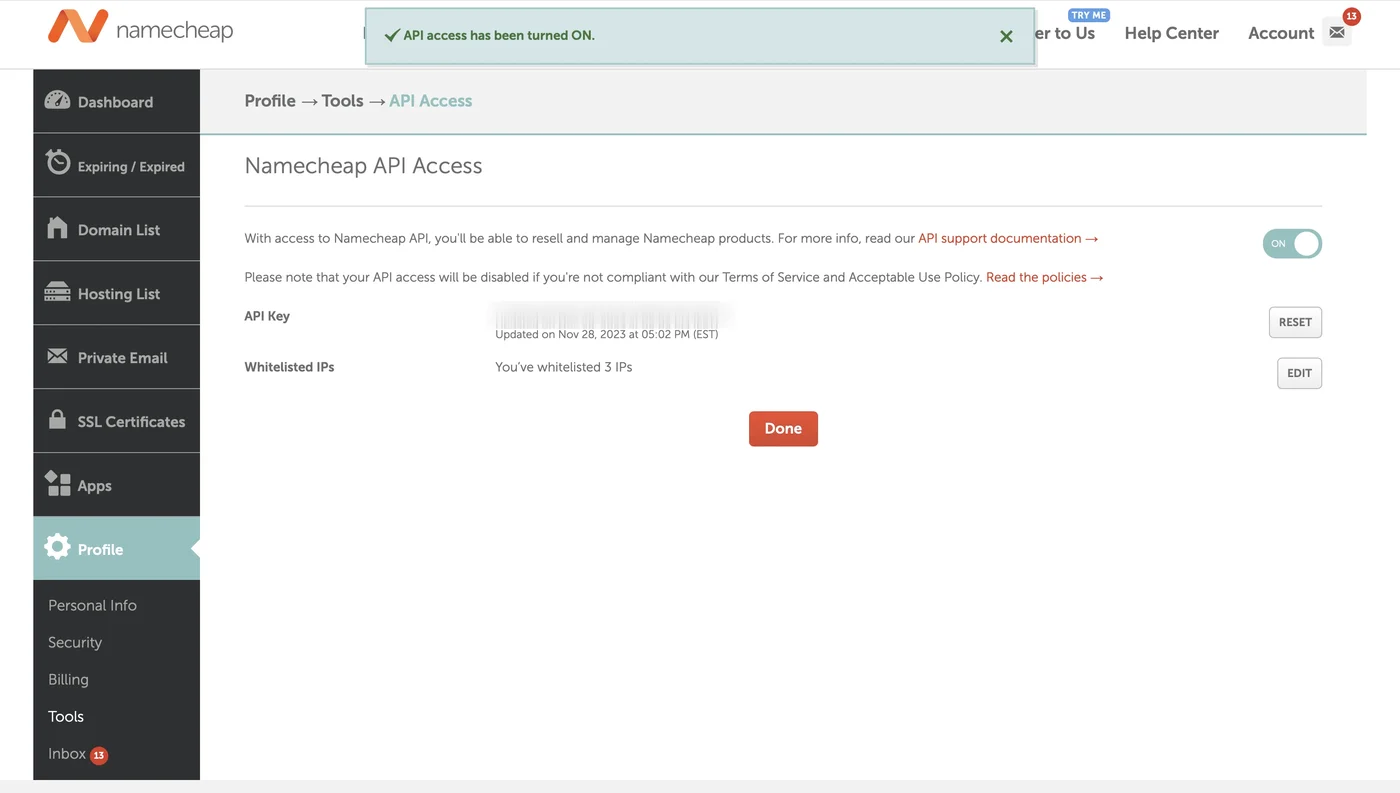
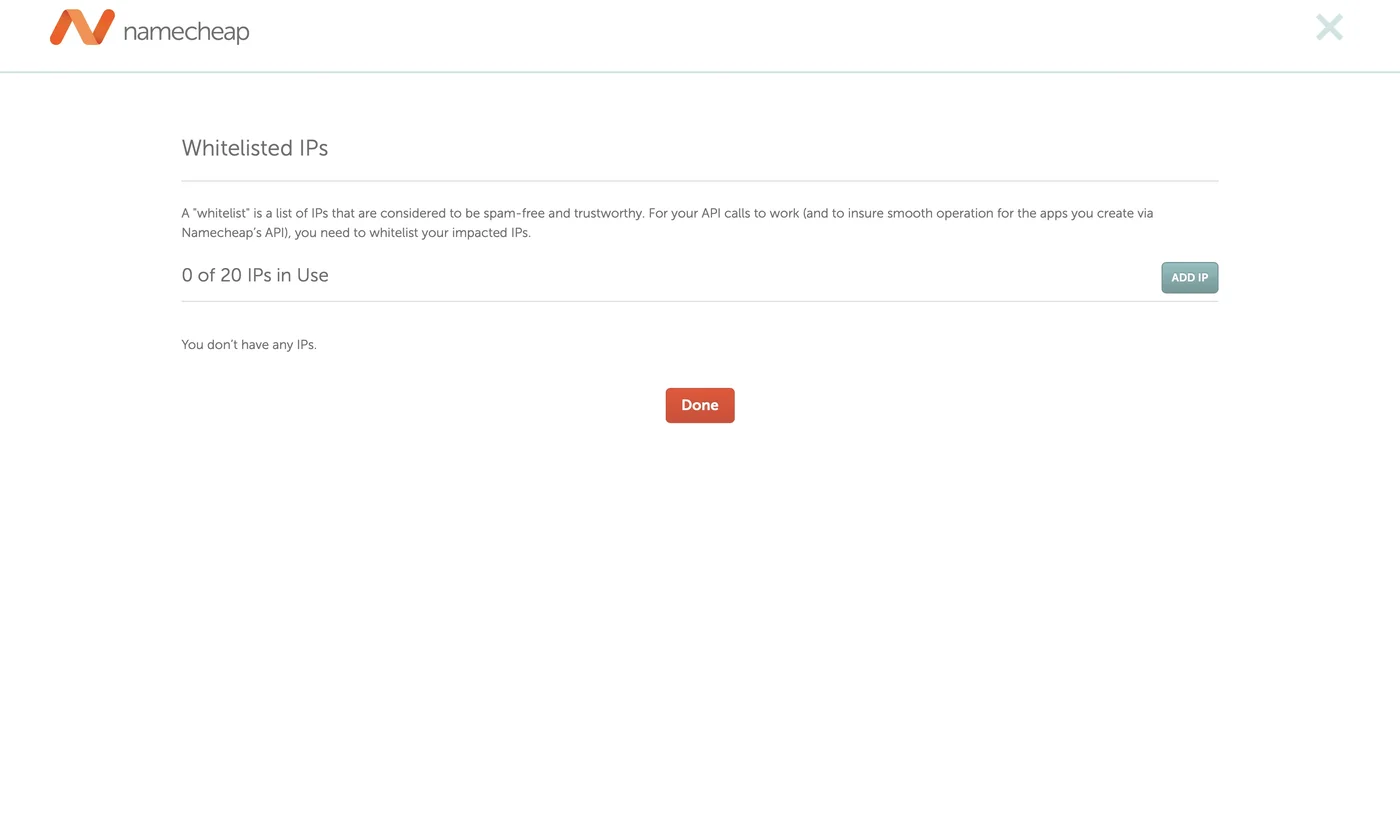
On the same page, click Edit next to Whitelisted IPs, add an IPv4 address and save. Only IPv4 works. A call from any other address fails, typically with error 1011150.
The address has to be the one DNSense connects from, because Namecheap checks it on every call. If you do not know which address that is, ask DNSense support before you save, and do not whitelist your own office address. It will not help.
Connect it to DNSense
Add a connection, choose Namecheap and fill in:
- Account username
- API key
- Whitelisted IP address, the same IPv4 address as on the Namecheap page.
Limits
Namecheap allows 50 calls per minute, 700 per hour and 8000 per day per key, so DNSense checks Namecheap zones for drift less often than other providers. Namecheap also cannot store SRV or TLSA records through this API, and TTLs run from 60 to 60000 seconds.