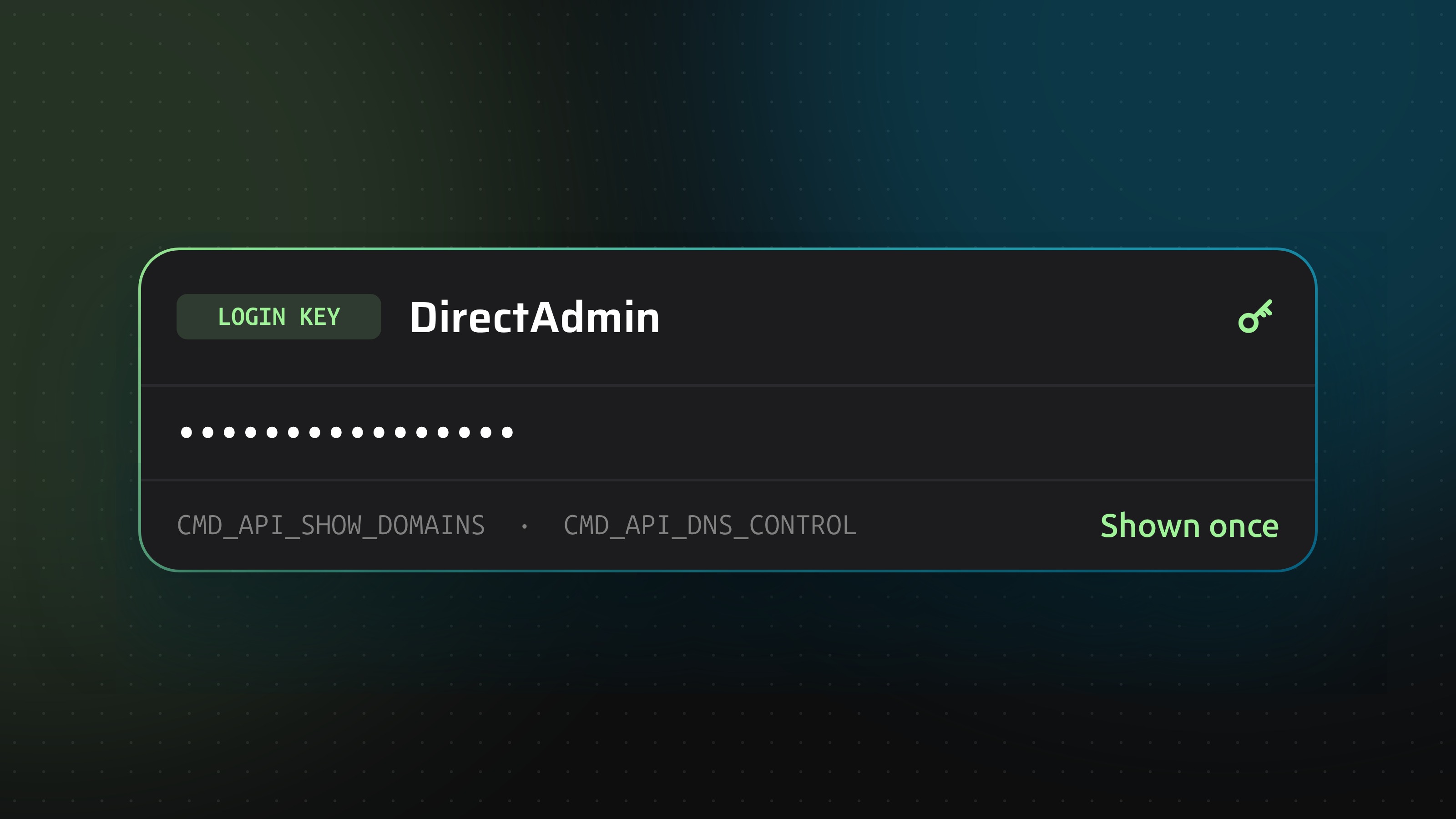
How to get a DirectAdmin login key

Dennis Postma12 June 2026
Reading time3 minutes
Guides

Create a restricted DirectAdmin login key for DNS, with the right commands and IP limits, and connect it to DNSense.

DNSense guide cover: a DirectAdmin login key limited to DNS commands

DirectAdmin has no API tokens. It has login keys: separate passwords for your account that you can limit to certain commands and addresses. You enter your normal username, with the key in the password field. Use a key instead of your real password. If it ever leaks, you delete the key and your account stays as it was.

Pick the account level

The account you create the key on decides what DNSense sees:

  • User: its own zones.
  • Reseller: its own zones plus those of the accounts it manages.
  • Admin: every zone on the server.

Log in as the level you want DNSense to work at.

Create the key

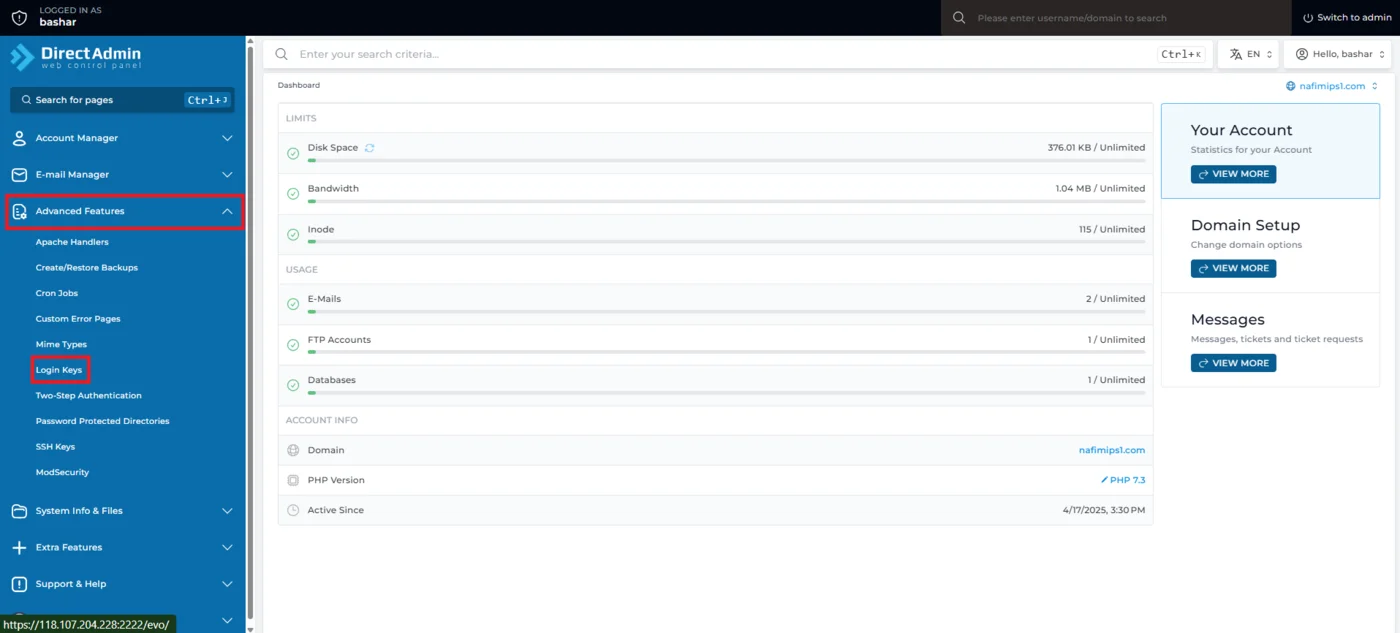
  1. Go to Login Keys. In the Evolution skin it sits under Advanced Features, in the Enhanced skin under User Level. You can also open /CMD_LOGIN_KEYS on your panel directly.
The Login Keys entry under Advanced Features in the DirectAdmin menu
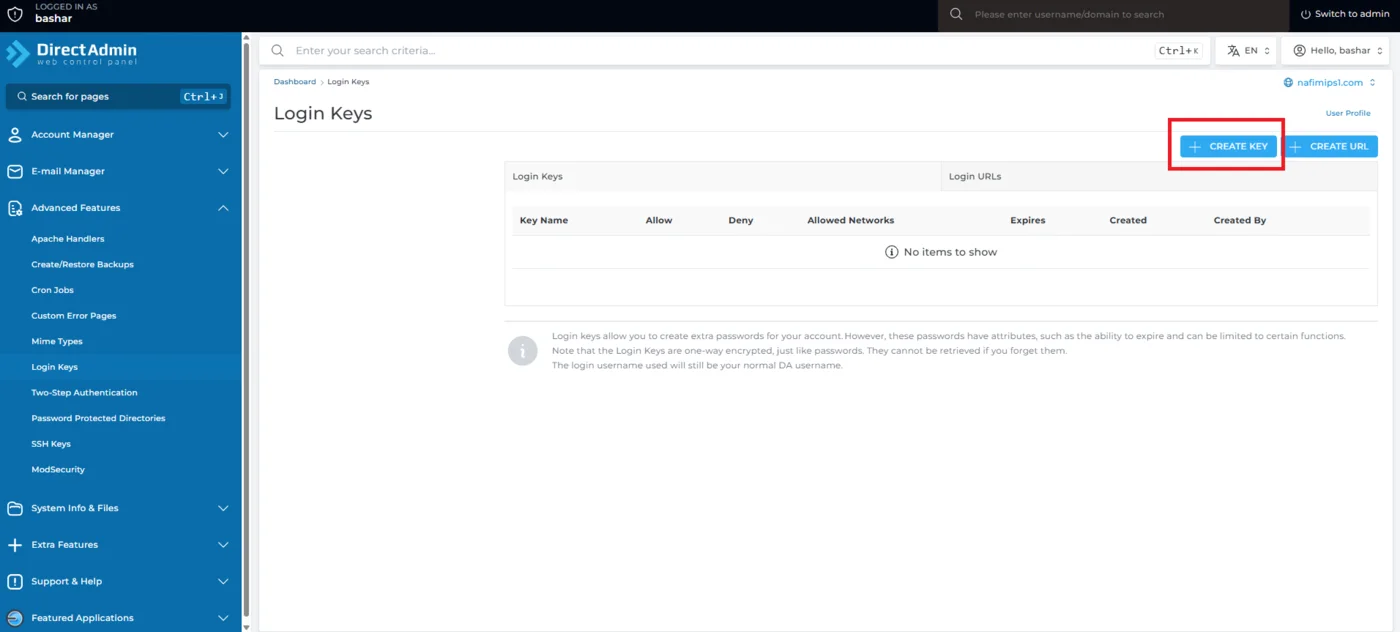
  1. Click Create Key.
The empty Login Keys list with the Create Key button
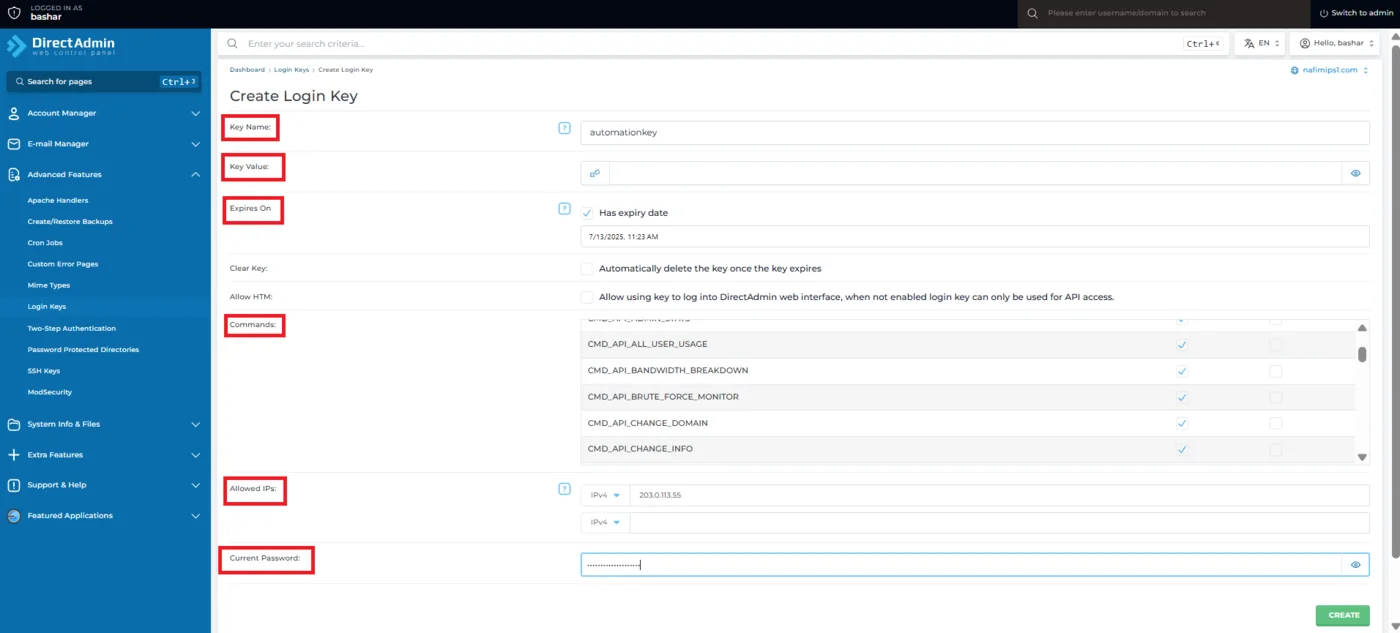
  1. Fill in the form:
    • Key Name, for yourself only. Not a username.
    • Key Value, the password. Use the random button for a long one, and copy it. It is visible when you create the key.
    • Expires On, optional. Leave it empty for a permanent integration.
    • Allow HTM, off. This permits browser logins, which an API key does not need.
    • Commands, limited to the list below.
    • Allowed IPs, one per line, if you know the address DNSense connects from.
    • Current Password, your DirectAdmin password, to confirm.
The Create Login Key form with name, value, expiry, commands, allowed IPs and password
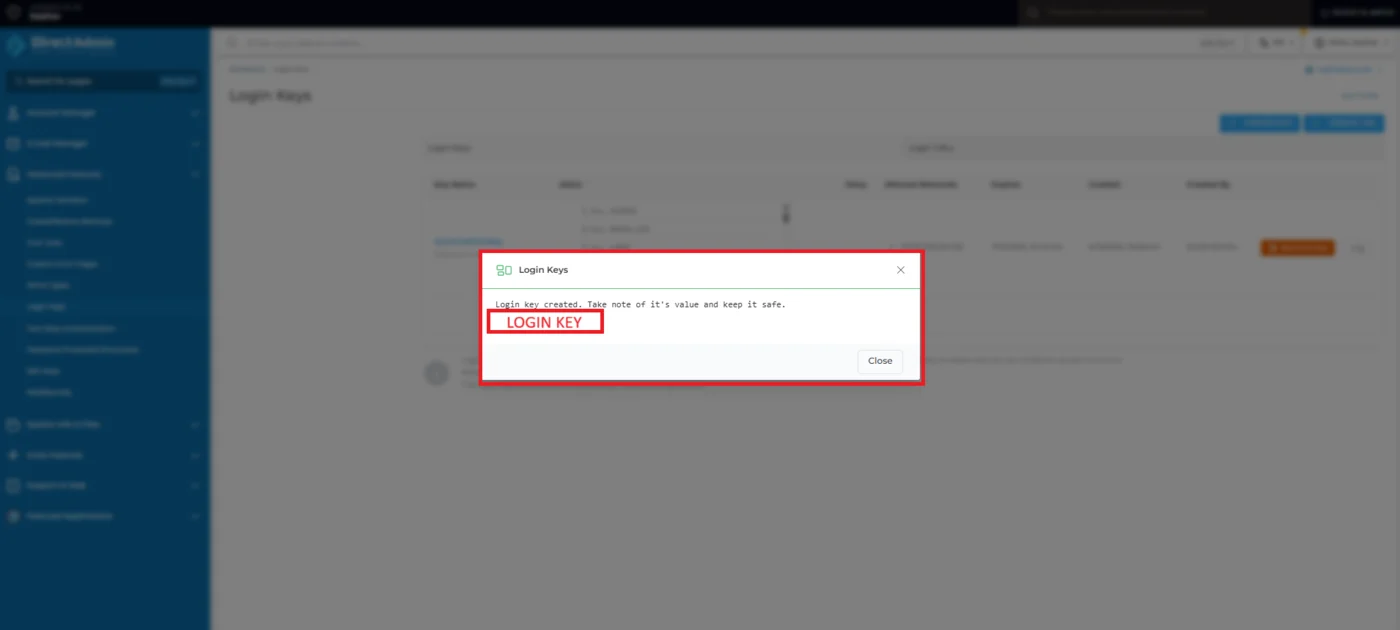
  1. Click Create. DirectAdmin shows the key once in a dialog. Copy it before you close it.
The dialog that shows the new login key

The screenshots show the Evolution skin and come from a hosting provider's knowledge base.

Which commands to allow

Allow CMD_API_SHOW_DOMAINS and CMD_API_DNS_CONTROL, and add what the account level needs:

  • Reseller: also CMD_API_SHOW_USERS.
  • Admin: also CMD_API_DNS_ADMIN.

Do not allow ALL_USER, CMD_LOGIN_KEYS or CMD_API_LOGIN_KEYS. Each lets the key change login keys, which undoes the whole restriction.

Connect it to DNSense

Add a connection, choose DirectAdmin and fill in:

  • Hostname of your panel.
  • Port, only if it is not 2222.
  • Username of the account.
  • Login key (a password works as well, but use the key).

If a call is refused

DirectAdmin writes denied commands to /var/log/directadmin/security.log. Look there first. It names the command the key lacked.